
When you select a single takeoff or annotation object that can be modified the object can be resized and adjusted using one or more controls.
Linear Takeoff
When you select a single Linear segment (or a Dimension Line Arrow or other lineal objects) you can use the "handles" at either end of the object to make it longer or shorter.
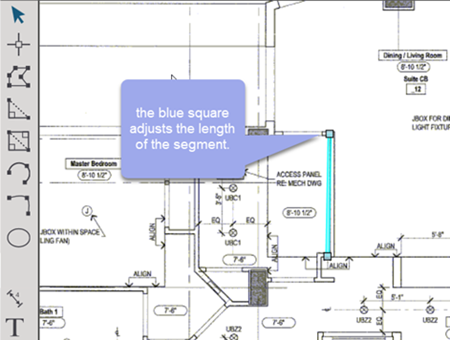
If this is a Linear takeoff object and there is an Attachment placed on the segment you cannot make the segment smaller than the Attachment's width (you could not make a wall 2' long if their is a door on it that is 36" wide).
Area Takeoff
When you select a single Area takeoff object (or a Typical Group or Named View Frame or a Highlight or anything else that is like an area) you can adjust the length of individual segments using the end controls (just like above) or you can move the segment which "pulls" adjacent segments.
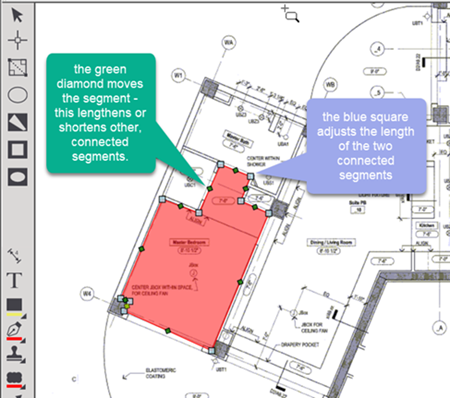
When Linear or Area takeoff objects are selected you can use the "Scissors" tool to split individual segments into smaller segments. See Released Articles for more information on modifying existing takeoff objects.
Related Articles