
To take advantage of these Takeoff Boost™ improvements, you must be using On-Screen Takeoff v.4.0.0.288.
See the On-Screen Takeoff Product Information and Download Page for more information.
Improvements
- Takeoff Boost now identifies existing walls - you can opt to include or exclude them from the results Takeoff Boost returns.
- New, more intuitive and easier-on-the-eyes Takeoff Boost Options dialog box.
Why is “Existing Walls” a big deal?
Before this update, Takeoff Boost™ included everything it identified as a wall, this meant the estimator (you) had to circle back and manually delete existing walls in a renovation job. Now, you select an option to exclude these walls, based on the color or pattern you set in the Takeoff Boost Options dialog box. If you like, you can have Takeoff Boost return them and assign them to their own Condition.
Example
Let’s walk through an example plan.
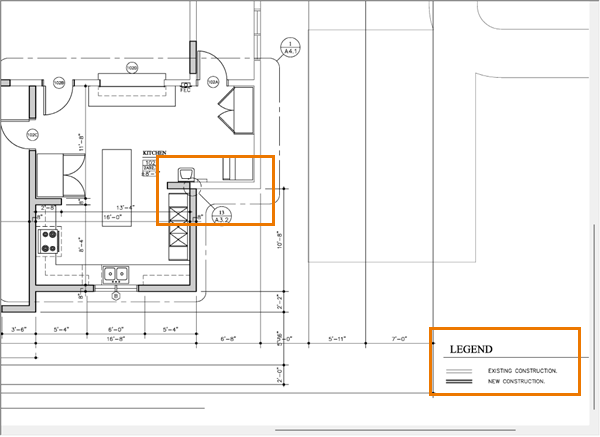
Notice, this plan identifies existing and new construction.
When we set our options in the Takeoff Boost dialog box, we set the color of existing walls on the plans - in our example, White (you can choose White, Black, or Gray).
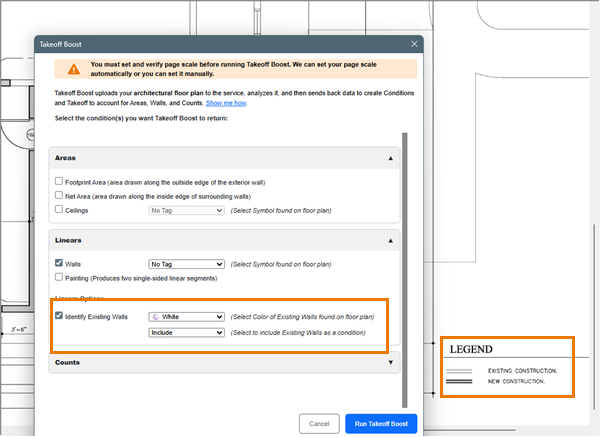
We also opted to INCLUDE the existing walls.
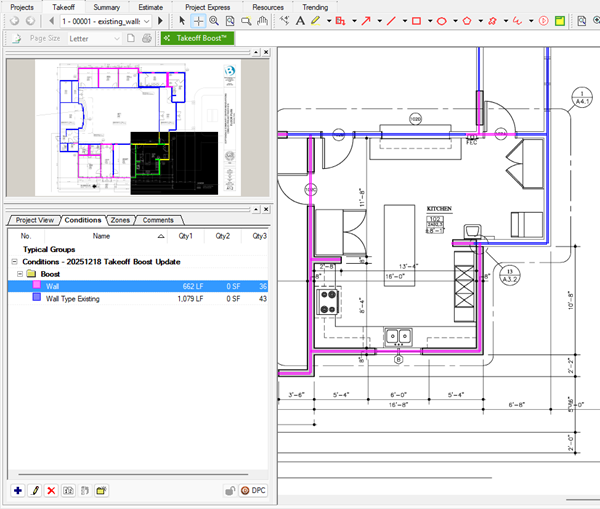
When we run Takeoff Boost, we get back two Conditions: one for new walls and another for existing walls.
There are three options for existing walls: Include, Exclude, Only Existing Walls.
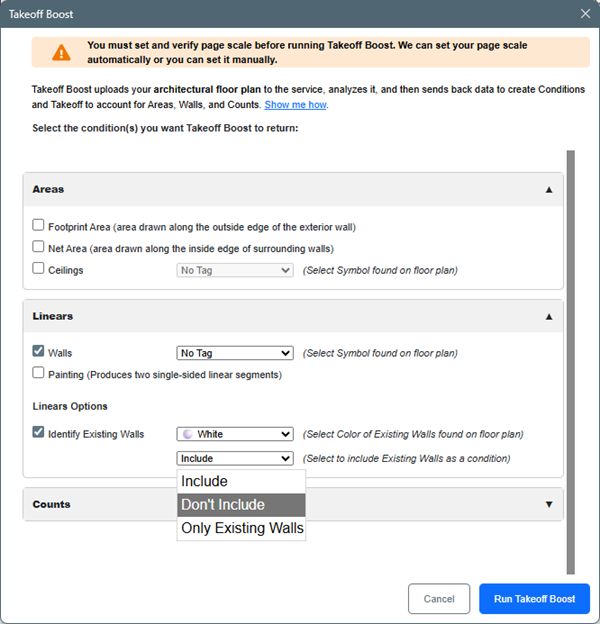
New dialog box
As you can see above, the updated dialog box is organized into Areas, Linears, and Counts and each section can be collapses if you don’t use it regularly.
Like before, your selections are saved for the next time you run Takeoff Boost.
Related Articles