Issue
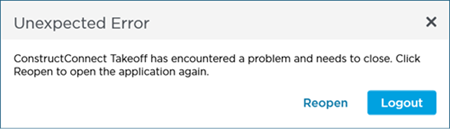
You pinned ConstructConnect Takeoff to your taskbar and when you close the program you receive the following error and your shortcut disappears:
Discussion
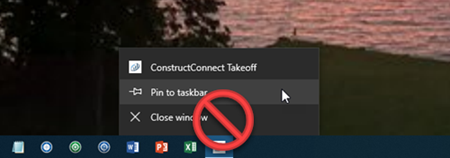
This error occurs if you pin ConstructConnect Takeoff to your taskbar while the program is running.
Because ConstructConnect Takeoff uses a Click-Once installer (so that your program is updated automatically and you do not have to be an admin to install it) the program must be launched using the click-once shortcut not a pinned shortcut created while the program is open/running.
Resolution
Close ConstructConnect Takeoff.
Remove the pinned shortcut from the Taskbar if it is still there (right-click it and then select "Unpin from taskbar").
On your desktop or in your Start Menu locate the shortcut for ConstructConnect Takeoff.
- Desktop shortcut: Click the desktop shortcut and drag-n-drop it to your taskbar (you should see a little popup that reads "Pin to taskbar").
- Start Menu: right-click on the shortcut to the application and select "Pin to Taskbar".
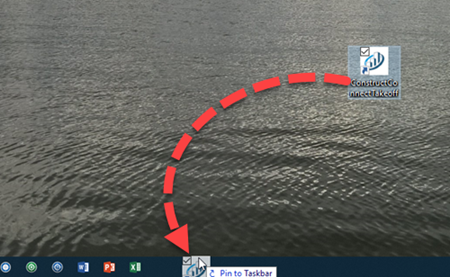
Dragging desktop shortcut to Taskbar
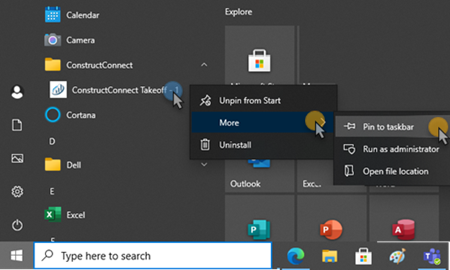
Pin Start Menus shortcut to Taskbar
Now when you click on that pinned shortcut the Click-Once installer can check for updates and then log you into the application.
Related Articles
