Issue
Sometimes, takeoff gets drawn within "out of scope" or "do not include" or "not in contract" regions of a plan.
Takeoff Boost errs on the side of caution and identifies all walls, even if they are just referencing something that existed before.
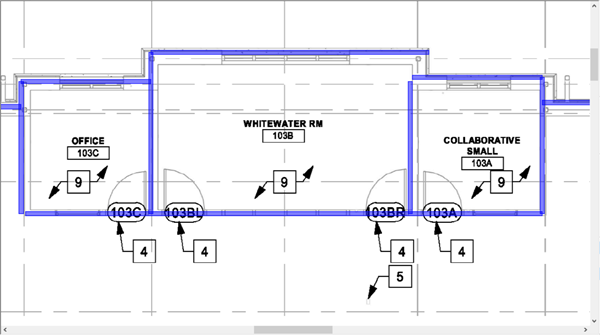
Walls drawn on reference lines
Takeoff Boost cannot know which side of the match line is valid so it takes off both.
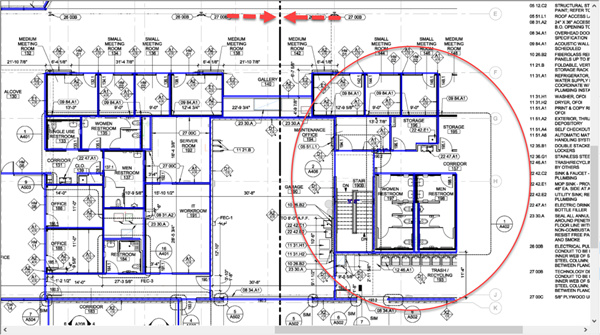
Walls drawn on the "wrong" side of a match line
At this time, Takeoff Boost does not identify regions as being "out of scope" or 'not in contract", so it takes off everything on the Page.
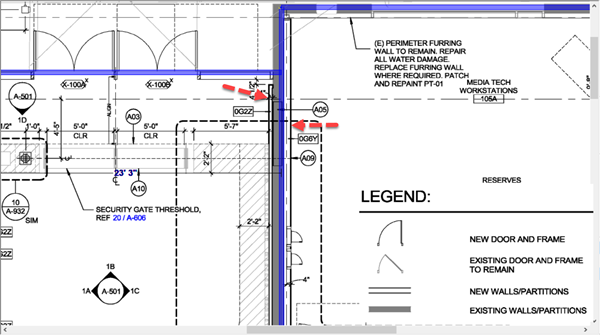
Walls drawn on out of scope region
Area Takeoff may also be drawn in "out of scope" regions of a plan.
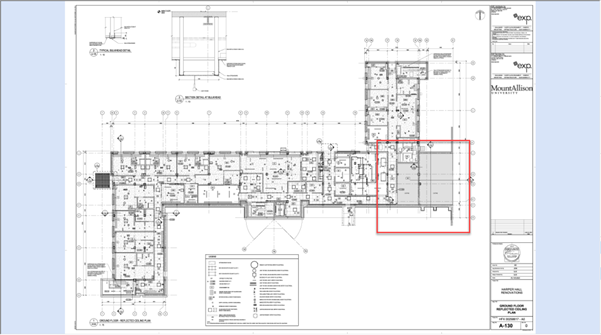
Area takeoff gets drawn in "out of scope" region of a plan
Resolution
The resolution is delete whatever takeoff objects you don't need. See Related Articles for details on selecting and deleting takeoff objects.
You may need to "split" one or more takeoff objects in two to account for takeoff drawn past an "out of scope" delineator, we cover that in Related Articles also.
Related Articles
- On-Screen Takeoff - 09.01 Selecting, Editing, and Deleting Takeoff and Annotation
- On-Screen Takeoff - 09.02.01 Splitting Linear Segments and Area Takeoff Objects
