

To deactivate your Takeoff BOOST™ tools (so they can be used on another machine), you’ll use the Activation Utility that shows in the Windows System Tray:
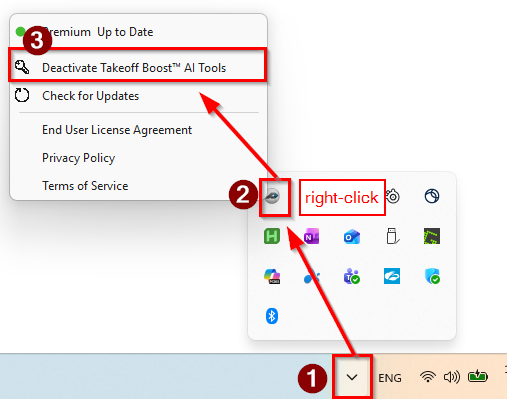
- First, click the chevron to see all running System Tray processes.
- Right-click on the PlanSwift icon
- Click Deactivate Takeoff BOOST™ AI Tools
 Deactivating Your License to Use on a Different Machine Deactivating Your License to Use on a Different Machine | Frequently Asked Questions about Licensing  |
