

If you haven't already installed On-Screen Takeoff, you start here.
- Review the System Requirements before proceeding.
- Read the Release Notes for this version (and previous versions, if you like).
- If you need to download the installer visit one of these pages:
Installation Instructions
- Locate the downloaded installer file.
- Double-click it to begin the installation.
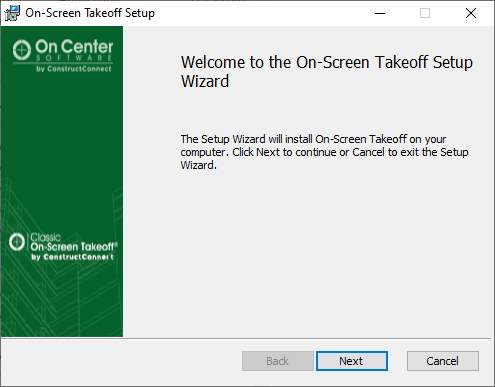
- Click Next on the Welcome Screen.
 .
.
- If you need to install to a directory other than the Windows default (Program Files or Program Files (x86)) click the Change button, otherwise click Next on the Destination Folder screen.
(On Center recommends always installing to the Default directory.)
 .
.
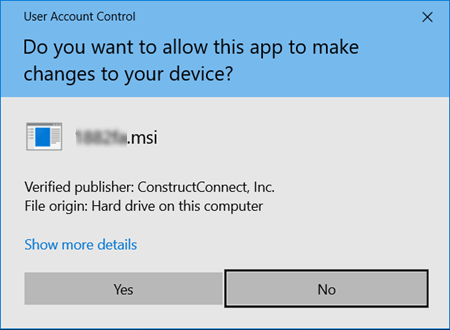
- Click Install. (When you click Install, the Windows User Account Control pop-up opens, you must be a local Windows administrator to install the product.
 .
.
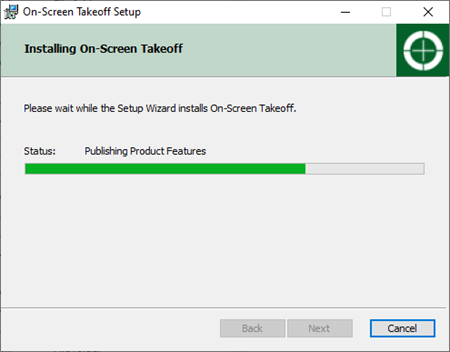
- Click Yes to continue with the installation - a progress screen displays.
 .
.
- When the installation is complete, an information screen displays - review the information and then click Finish.
You will find the shortcut to On-Screen Takeoff on your desktop, double-click it to launch the program.

 What Have You Gotten Yourself Into? An Introduction to On-Screen Takeoff What Have You Gotten Yourself Into? An Introduction to On-Screen Takeoff | Licensing On-Screen Takeoff (Unlocking Full Functionality)  |
Related Articles
