

ConstructConnect Takeoff Estimating is in beta testing as of the writing of this article and may not be available to all users.
Exporting
- Click the Create Bid button to start the export process.
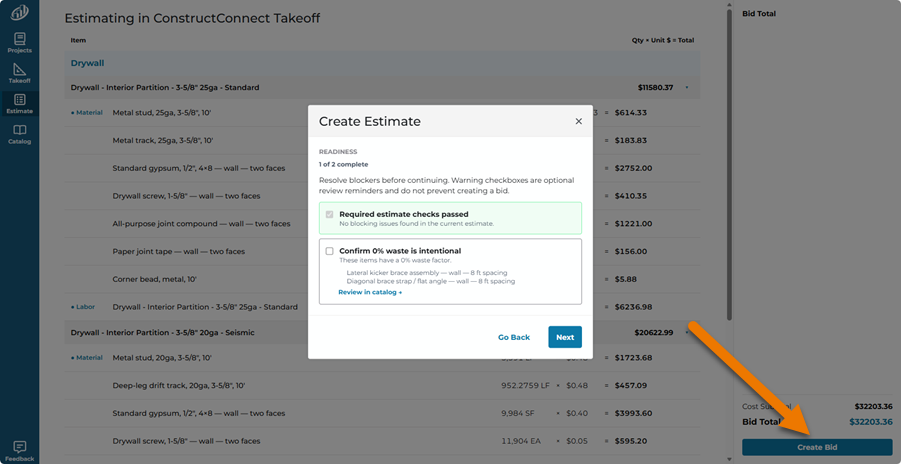
Your estimate is analyzed to make sure there are no issues. In our example, there are a few Items that have zero waste added, we are asked to acknowledge that.
- Click Next (or Go Back if you need to make any adjustments/corrections)
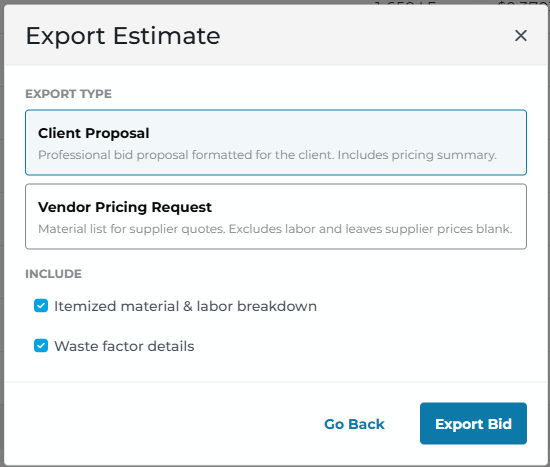
- Select which export you want to generate:
- Client Proposal - a bid you can submit to you customer/general contractor. You have the option to include an itemized list of material and labor breakdown as well as Waste factor details
- Vendor Pricing Request - a csv file you can share with a vendor/supplier to obtain up-to-date pricing information
- Click Export Bid
- Your browser may prompt you with what to do with the file or may download it to your Downloads folder automatically.
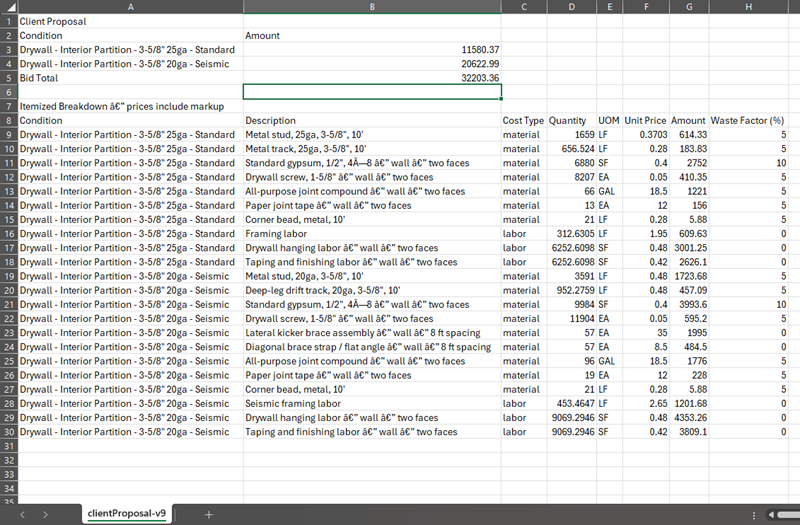
Both exports are CSV files that you can open in an spreadsheet application such as Excel.
Client Proposal
Vendor Pricing Request
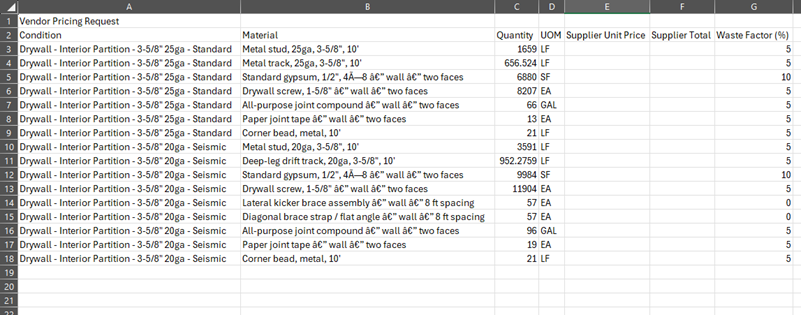
These files are small enough that you can e-mail them to whomever you choose. You can also manipulate them however you like, however if you add graphics or make formatting changes, save the file as an Excel spreadsheet or you may lose your changes.
 Reviewing Your Estimate and Pricing Reviewing Your Estimate and Pricing | Catalogs  |
