You can open the Plan Organizer from the Takeoff Tab.
In the right-side dockbar click "Plan Organizer".
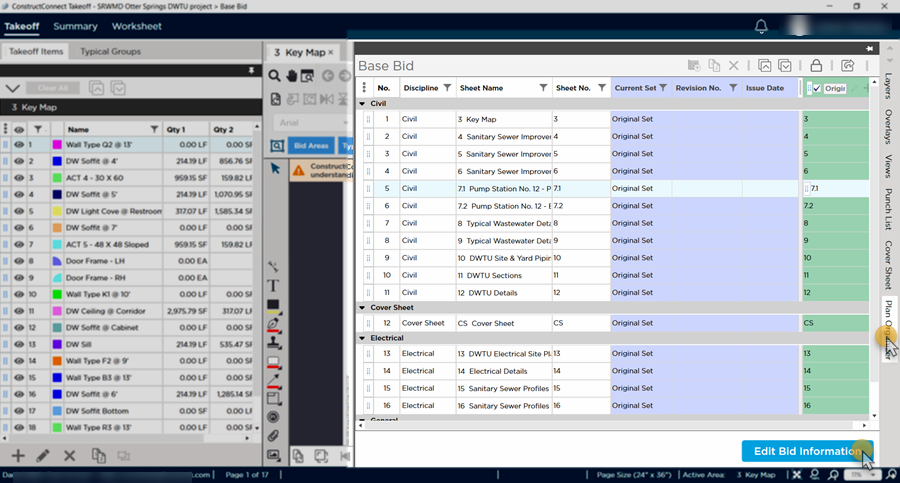
The Plan Organizer pane slides open - if you want to make changes to your Plan Sets click "Edit Bid Information" to lock the Plan Organizer. For details on using the Plan Organizer see Related Articles.
 The Punch List Panel The Punch List Panel | Opening the Plan Organizer from the Takeoff Tab  |
Related Articles
