What is Ask Documents?
Starting February 12th, all users will have access to Ask Documents in Project Intelligence.
Ask Documents is an AI-powered assistant in Project Intelligence that helps you quickly get answers to your project questions by searching the project’s documents for you.
Instead of digging through files, just type your question and Ask Documents will scan all project documents and return the most relevant information, giving you faster, more accurate, project-specific answers.
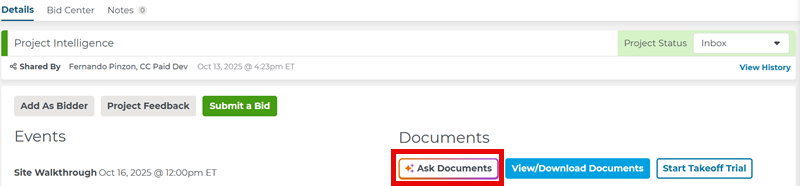
You can access Ask Documents from the Project Details Page:
How It Works
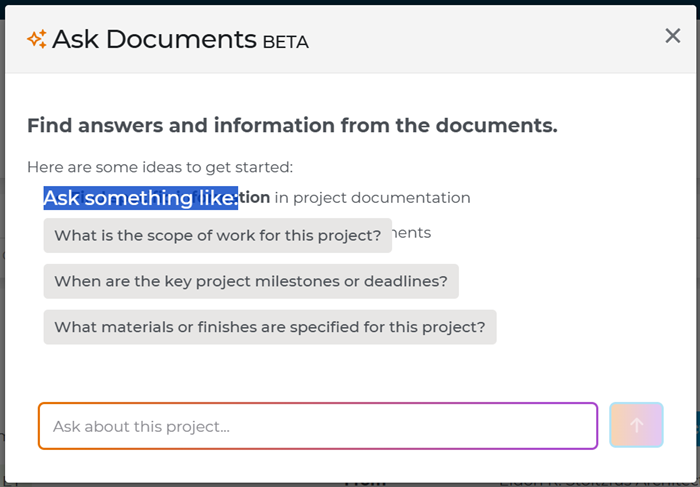
When you press Ask Documents, a dialog box opens where you can type your question into the text box.
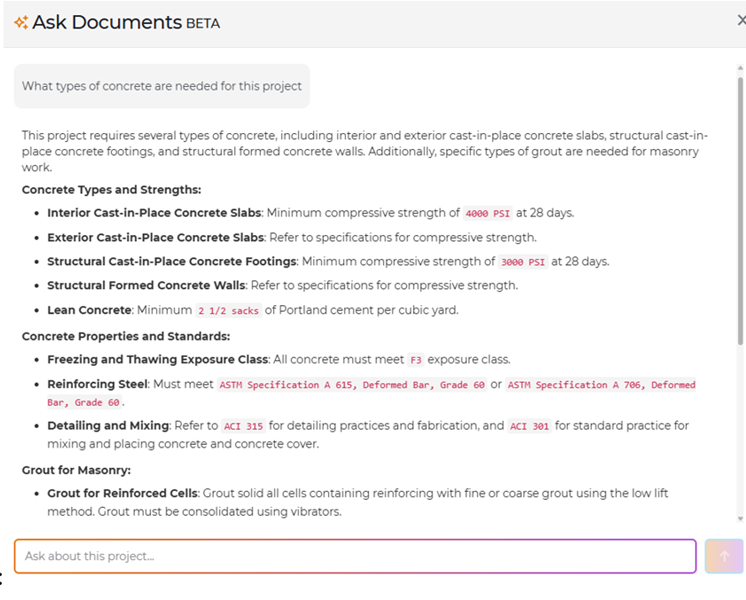
When you enter a question, the chat window shows your answer. In the example below, the user asked, “What types of concrete are needed for this project?”
To learn more about Ask Documents, visit our Ask Documents FAQ or find more details here.
Related Articles
