PlanSwift Product Administrators set up users to allow them to download and license the product.
First, sign in to your MyAccount profile.
- Log in to your My Account
- Click on All Users

- Click on New User

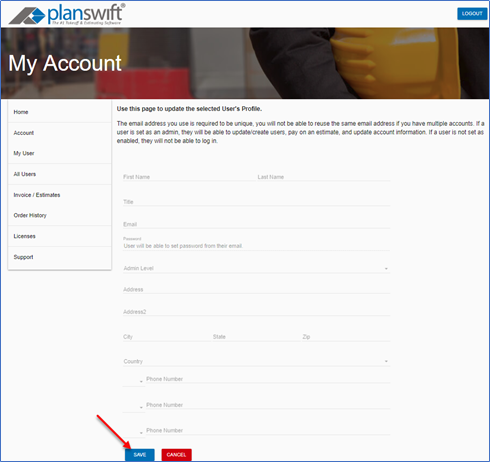
- Enter the new user’s information
- Click on Save
The new user will receive an email to set up a password and then follows the instructions in to activate PlanSwift.
For more information about the MyAccount customer portal, see: MyAccount Customer Portal - 01 What is MyAccount
If you need further assistance, contact Technical Support.
Related Articles
