This Release coincides with the On-Screen Takeoff 4.0 release which is currently in early adopter phase. Please see:
Improvements
- Takeoff Boost™ now processes PDFs in their native format. PDFs render higher resolution images for the Takeoff Boost service to analyze resulting in greater accuracy.
| Before | After |
|---|---|
|
|
|
| Previously On-Screen Takeoff converted PDF files to jpeg before uploading to Takeoff Boost. When the results came back, the blue segment was not split into two Wall Types, as it should have been. This requires manual adjustment of takeoff and possibly creating another Condition. | After this update, On-Screen Takeoff uploads native PDFs at higher resolutions to the Takeoff Boost Service for processing. Results are returned faster, and as you can see, the segment is taken off correctly using two Conditions. |

- Takeoff Boost now identifies Ceilings on Ceiling plans.
- Always broken into “ACT” and “Ceiling” Conditions
- If you specify a “Tag” from the Plan, are broken out by Ceiling Type
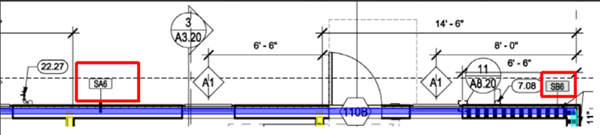
- Takeoff Boost can now takeoff both sides of interior walls to support Painting Contractors (coming Nov 14)
- When returning Walls and Paint Conditions, Takeoff Boost sets three appropriate takeoff Results
As the estimator, you still need to double-check the takeoff results. Results vary based on the quality and complexity of your particular plans.
Ceiling Takeoff Examples
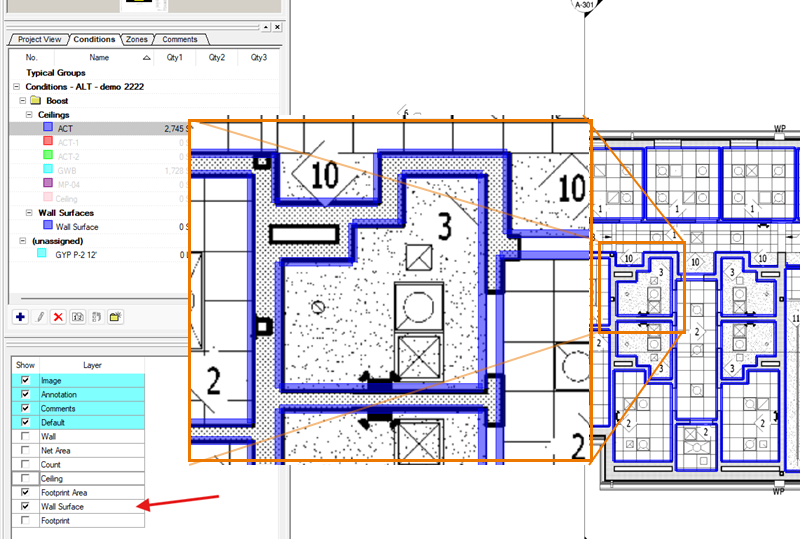
When your Plan does not include Ceiling Type Tags, Takeoff Boost identifies GWB, ACT, and then the generic "Ceiling" takeoff and creates separate Conditions for each:

When your Plan does include Ceiling Type Tags, Takeoff Boost identifies each Tagged Ceiling Type and creates separate Conditions for each. Untagged ceilings, and are still identified as GWB, ACT, or generic Ceilings:

Painting/Wall Covering Examples