Issue
You are working on a Project in DPC-Mode and when you click on a Hot Link, nothing happens.
Discussion
By default, On-Screen Takeoff/Digital Production Control opens Named Views in the Annotation and View Window, however in DPC-Mode, the Annotation and View Window are not accessible.
Resolution
You need to adjust your options so that Hot Links open in the Main window.
To open Named Views in the main Image Window,
- Click Tools > Options
- Set the option "Open hotlinks in separate View Window" to "Main"
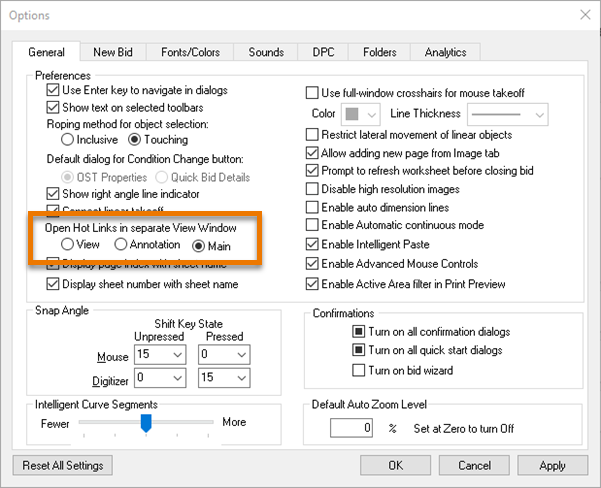
Now when you click on a Hot Link you will be navigated to the appropriate Named View, within the Image Window (replacing what you were previously viewing). To go back to your previous Page/View, just click the  button in the Page Navigation toolbar.
Related Articles
