Issue
You have Accepted Alternates in On-Screen Takeoff and Quick Bid, but don't see them when you flip a bid to "DPC Mode".
Discussion
Once a Bid is set to DPC Mode,
- Accepted Alternates are rolled into the Base Bid and no longer separately visible while the Project is in DPC Mode. If you return the Project to Takeoff Mode, the accepted Alternates are visible separately
- Unaccepted Alternates are not visible in DPC Mode - they are ignored
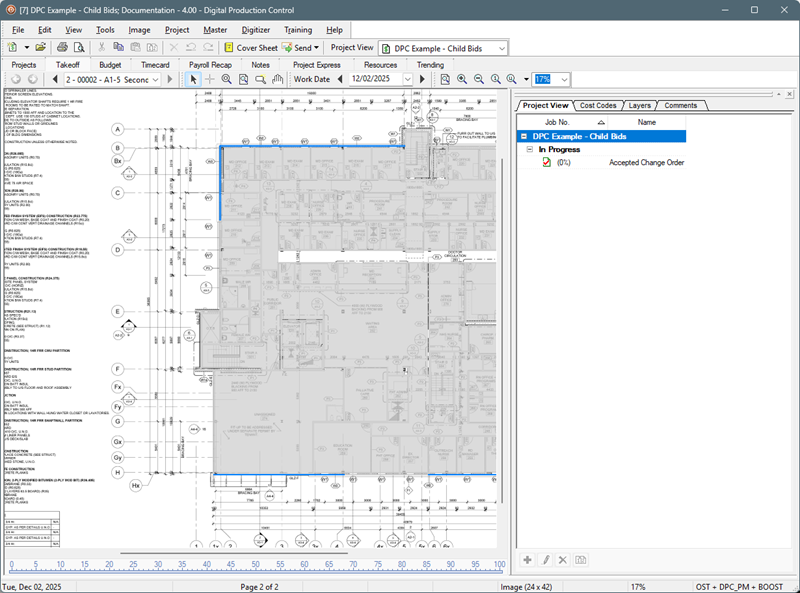
- Accepted Change Orders are visible in DPC Mode as separate child bids. Use the Bid View tab in the Labor Cost Codes window on the Takeoff Tab or the Project View drop down to switch between Base and Child Bids
Project View Tab
In Takeoff mode, you see all Child Bids:
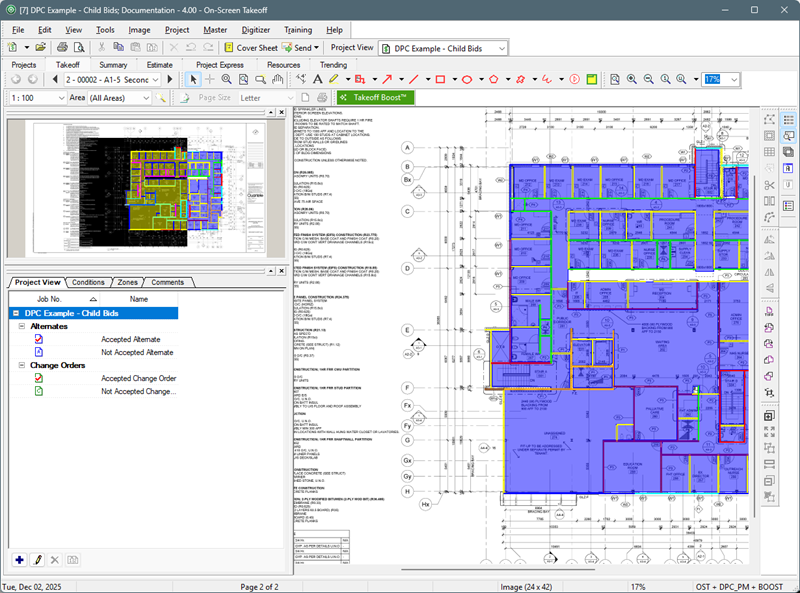
However, in DPC mode, you only see Accepted Change Orders because Accepted Alternates are rolled into the Base Bid and Unaccepted Child Bids are ignored entirely.
See the Related Articles for important information about handling Change Orders when using DPC.
Related Articles
