Issue
When you are using On-Screen Takeoff, the cursor randomly jumps to one of the corners.
Discussion
This happens when your display settings are set to something other than 100%. Windows can display application artifacts erratically when the display size is set to something other than default.
Resolution
- Right-click on the desktop and choose "Display Settings"
- Scroll down the "Scale and layout"
- Select "100%" from the drop-down
If this fixes your issue, you can try updating your display adapter drivers - contact the manufacturer of your PC or display adapter to see if there is an update.
You can return this to its previous setting when you aren't using On-Screen Takeoff.
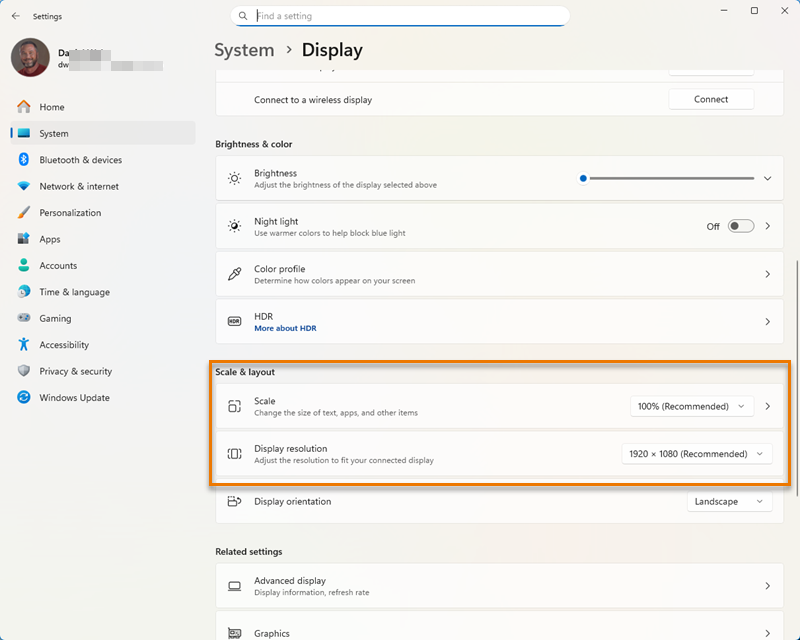
This is a system-wide setting and affects all applications displayed on this monitor.
Related Articles
