Issue
You try to generate a Proposal but Word opens and immediately closes (or, sometimes, nothing happens).
Discussion
This typically happens when you copy a template from someone else or download a template from the internet or e-mail. All Office files that are downloaded to a computer are flagged as "potentially unsafe", you've probably seen the warning banner in Word or Excel.

Because Word cannot edit the file, generating the Proposal fails.
Resolution
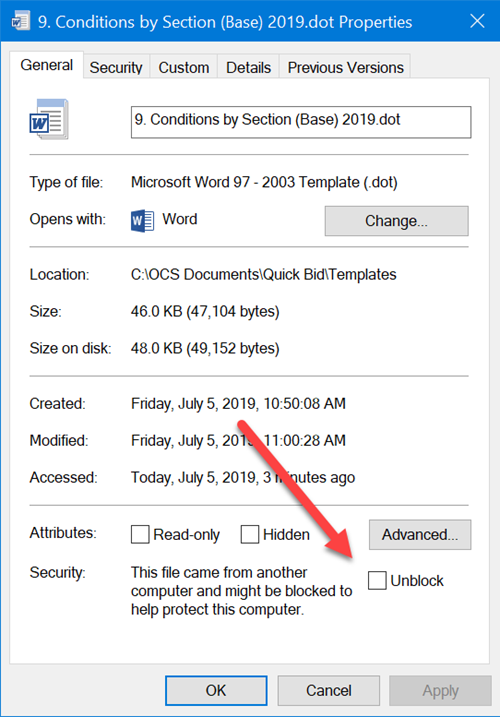
The fix is easy, locate where you've saved the template files (usually, this is C:\OCS Documents\Quick Bid\Templates).
Right-click on the template file and check the "Unblock" checkbox. This removes the "potentially unsafe" flag and allows editing the file.
Related Articles
