

This article covers two questions: "What version of On-Screen Takeoff, Quick Bid, or PlanSwift am I running?" and "Is there a newer version?".
Issue
What version of On-Screen Takeoff, Quick Bid, or PlanSwift am I running?
Discussion/Resolution
Checking your current version is pretty easy,
In On-Screen Takeoff or Quick Bid,
- Click Help > About (product name) or Your

On-Screen Takeoff with Help Menu
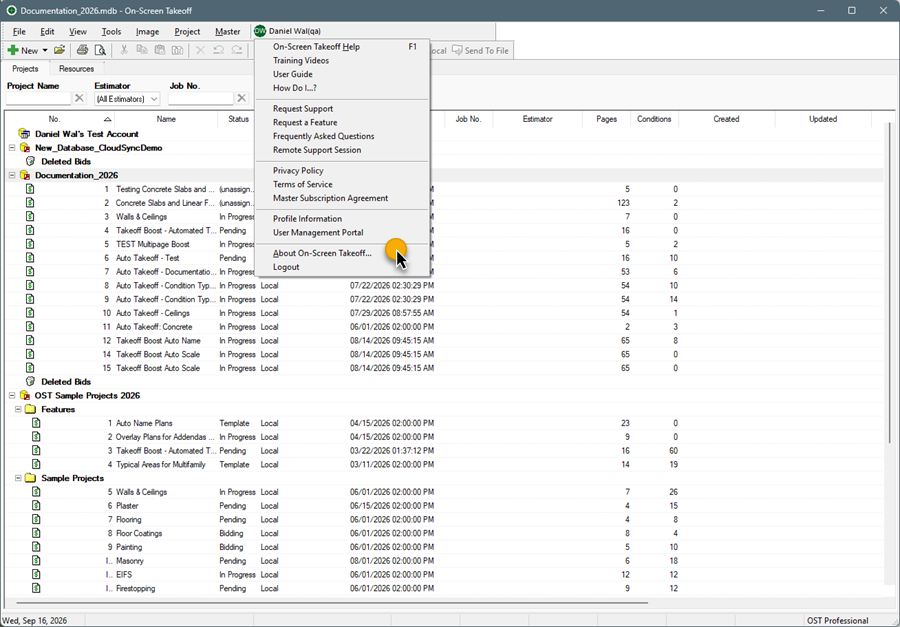
On-Screen Takeoff with Me menue
Your version is displayed in the product "splash" screen.

Older About screen
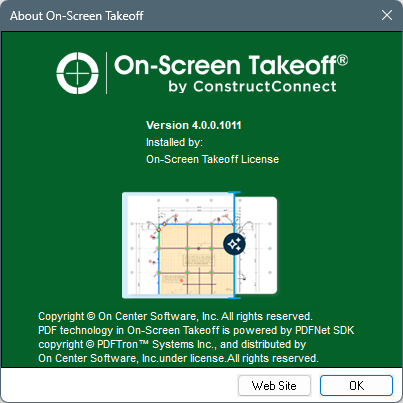
Modern About screen
In PlanSwift,
Click on the Help Tab and then click About.
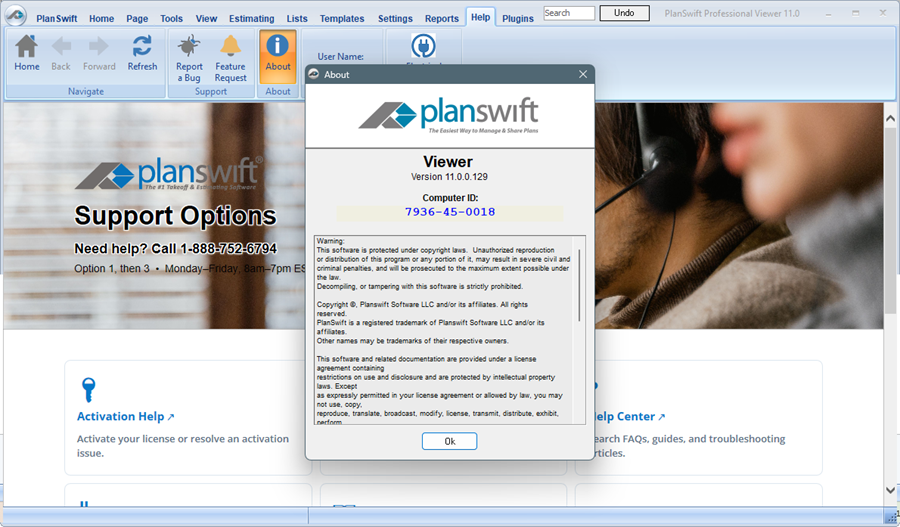
PlanSwift About screen showing version 11.0.0.129
Issue
Is there a newer version of my software? (aka, "Am I missing a software update?")
Discussion/Resolution
You can find the most recent version of your product on each product's "Information and Downloads" page: On-Screen Takeoff/Digital Production Control and Quick Bid and on PlanSwift’s Installer Download Page.
Before installing an upgrade, visit MyAccount to verify your license supports this version, see Checking Which Version of On-Screen Takeoff, Quick Bid, or Digital Production Control Your License Supports.
Before installing any updates, review: How To Upgrade ConstructConnect's Takeoff and Estimating Apps to the Latest Version
Versions and Licenses
If the first two numbers are the same between your version and the version to which you are upgrading, your license does not need to be updated.
For example, if you were upgrading from On-Screen Takeoff 3.98.03 to 3.98.18, your current license would continue to work. However, if you were upgrading from 3.98 to 4.0, your company's licenses need to be updated before you can install the newer version.
