

Most projects contain several bids. For example maybe you start your project with a pre-construction bid then move into a more complete and thorough bid or maybe you need to account for some Alternates or Changes Orders. Either way there is usually a single bid in a project you want your team to focus on "right now" and we call that the "Current Bid".
Setting the Current Bid
To set the Current Bid open the Project Cover Sheet by clicking the  button next to the project's Name in the Projects and Bids List.
After the Project Cover Sheet opens click  button to put the Cover Sheet in edit mode.
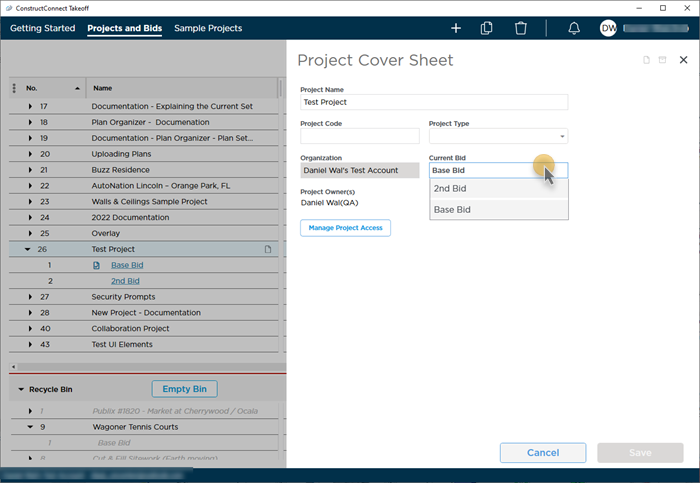
Click the Current Bid drop-down and select the bid you want to make the Current Bid.
Once set notice that the Current Bid Indicator shows on the Project and Bids List (and on the Takeoff Tab and if you are using the web app there).
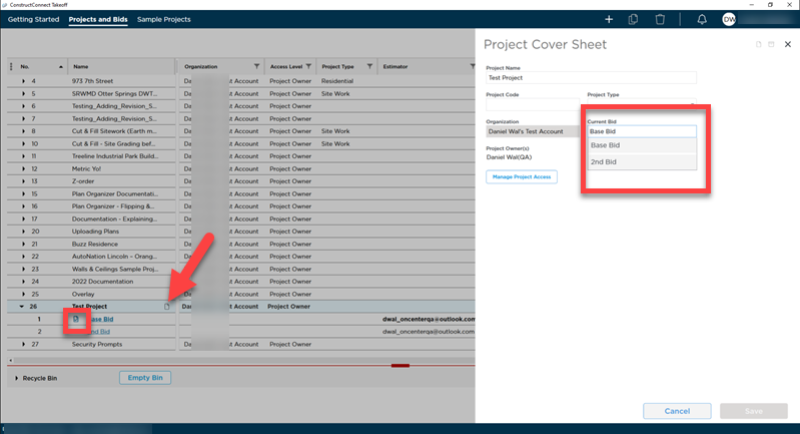
All users who can see this project are updated automatically. If they are using the web app they see a banner that lets them know they are not working in the Current Bid. Other desktop users should notice the new Current Bid when their Projects and Bids List updates.
Current Bid Indicator
Once set the Current Bid Indicator shows on the Project and Bids List (this is also visible in the web app).
The Current Bid Indicator also displays on the Takeoff Tab.
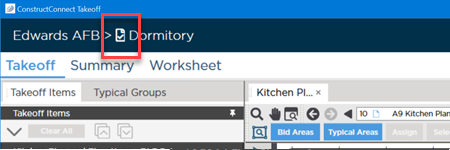
The Current Bid is the bid your organization is working on currently the one that should have everyone's attention. You indicate the Current Bid to ensure everyone is working on the correct bid within a project.
 The ConstructConnect Takeoff Project Cover Sheet The ConstructConnect Takeoff Project Cover Sheet | Manage Project Access Level  |
Related Articles
