

You can use Sample Projects for training/onboarding new estimators and/or learning program additional functionality. You can even use the templates in them to get started on a project of your own.
Before you can do anything with Sample Projects you'll need to copy one or more to your Organization.
Copying a Sample Project
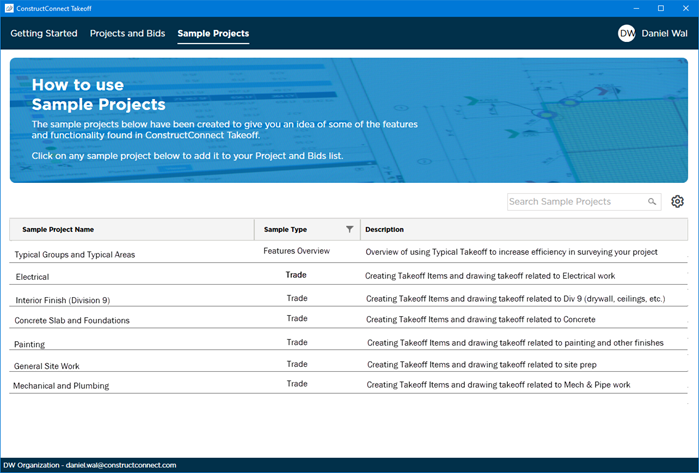
On the Sample Projects Tab locate the project you want to add. (You can add as many as you like but you add them one at a time.)
To copy a Sample Project into your Organization's Project and Bids List simply click on the Sample Project Name in the first column.
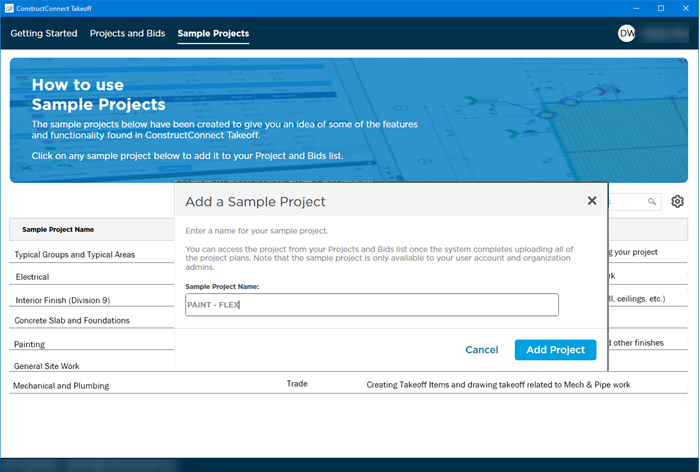
In the pop-up specify a name for the new Project and then click "Add Project".
The project is then copied to your Organization. You can access it on the Projects and Bids List.
Opening a Sample Bid
Locate the copy of the Sample Bid in your Projects and Bids List.
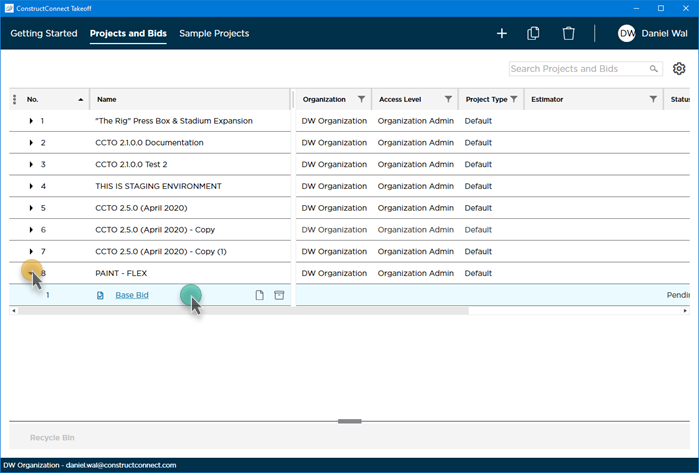
Double-click the Base Bid within that Project (see Opening a Bid for details).
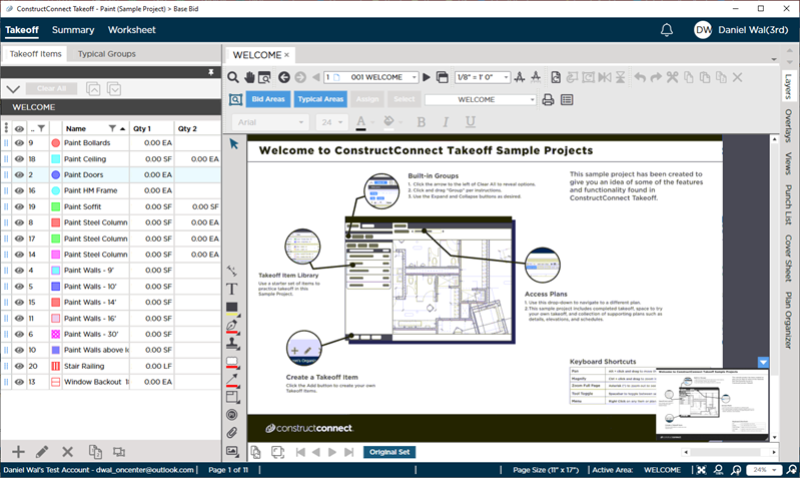
The Bid opens to the Takeoff Tab with an overview of some key functionality and resources.
Next let's look at creating a Project from scratch.
 Working with Project Intelligence Projects Working with Project Intelligence Projects | Creating a ConstructConnect Takeoff Project Manually - Create the Project and Base Bid  |
Related Articles
