

If you want to print only those Pages on which you've drawn takeoff,
- Open the Print Preview from any Page in the Bid
- Click on the Pages tab
- Click the button under the drop-down named "Select Pages with Takeoff"
Notice, the individual Page checkboxes are selected for those Pages that include takeoff.
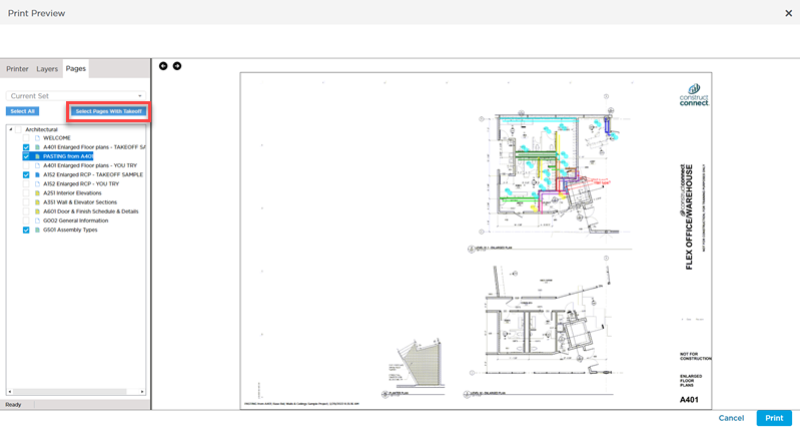
Selecting "Pages with Takeoff" does not include Pages on which you have drawn annotations only.
Pages Indicators color code: Blue=Takeoff; Yellow=Annotation only; Green=Takeoff and Annotation.
Marking Pages "with takeoff"
If you want Pages on which you only drew Annotation to be included with "Pages with Takeoff", create a 'dummy' Count Takeoff Item and place one object on each Page you want to include (you can even hide that Takeoff Item's Layer so you will not see it anywhere).
 Printing Multiple Pages and Entire Plan Sets Printing Multiple Pages and Entire Plan Sets | Printing Plans and Takeoff to PDF  |
Related Articles
