

Print Preview: Layers Tab
You can show/hide whichever Layers you choose. This makes it easy to print only the takeoff objects required for a particular print out.
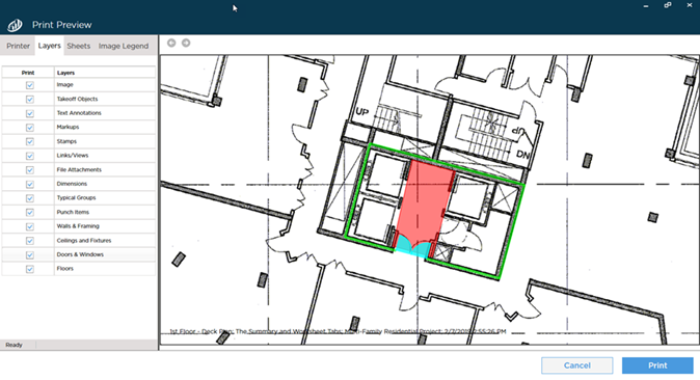
Print Preview showing all Layers turned on (showing)
When we turn off or hide the "Ceilings" layer the print preview updates accordingly.
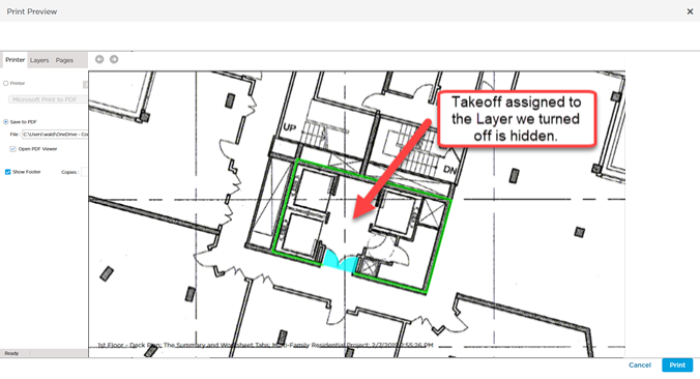
Print Preview with "Ceilings" Layer turned off (hidden)
 Selecting Where to Print Selecting Where to Print | Selecting Which Pages to Print  |
Related Articles
