
Issue
- Your company upgraded to Advanced Maintenance which includes Takeoff Boost Lite, but you’re not sure how to use it, or
- Your company is on Standard Maintenance and you are curious if Takeoff Boost works for you, or
- You are using a Trial and want to test drive Takeoff Boost
You must keep your version of On-Screen Takeoff updated to continue using Takeoff Boost. See the On-Screen Takeoff® Product Information and Download for the current version.
Customers with Advanced Maintenance can run Takeoff Boost up to 15 times.
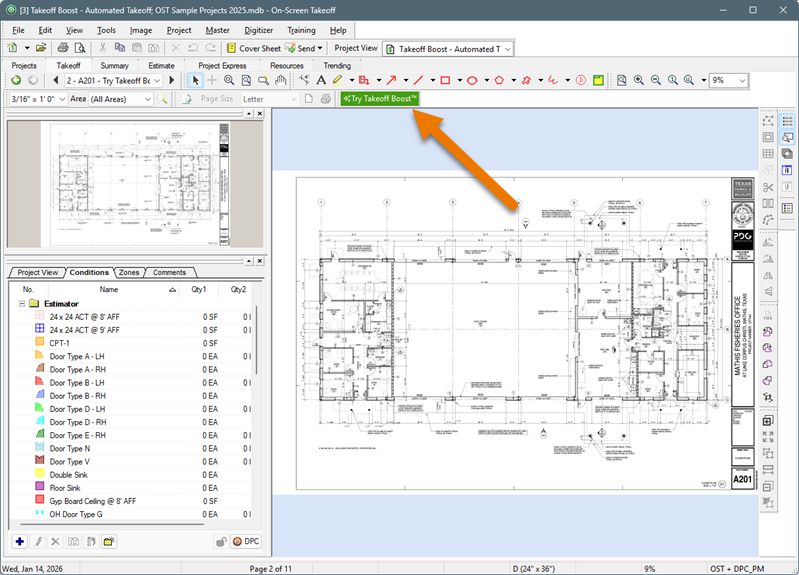
Customers and Trial users with Standard Maintenance can request a trial of Takeoff Boost, right from On-Screen Takeoff. Just click the "Try Takeoff Boost" button on the Takeoff Tab to begin your free 5-run trial.
Discussion
Congratulations!
You’re going to love Takeoff Boost, but first, you need to get your hands on it, right!
Don’t worry, we’ll walk you through the process.
Resolution
- First, make sure you are using the most current version of On-Screen Takeoff, available on the Product Information and Download Page. Follow the installation instructions on that page to download and install the application.
- Next, open On-Screen Takeoff and activate your takeoff license. Not sure what that is, contact your manager or system administration - they should have it. If you are the manager or system administrator, you can access your licenses in the Customer Portal.
- Create a new or access an existing Project by clicking on the Takeoff Tab.
- Click the Try Takeoff Boost button
- Enter your email address
- Click the Start Takeoff Boost Lite button (Advanced Maintenance) or Start Takeoff Boost button (Standard Maintenance and Trials)
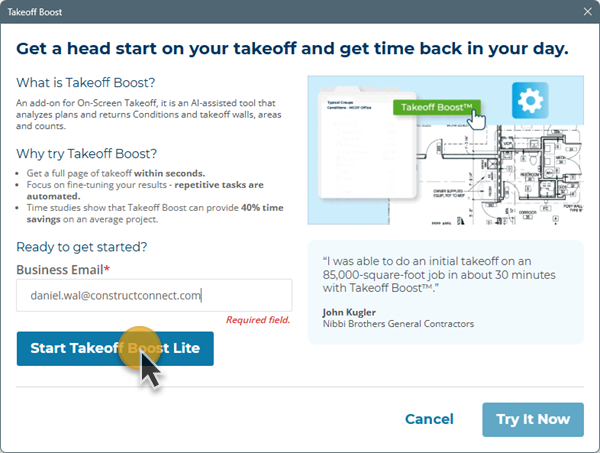
Takeoff Boost Lite activation Step 1
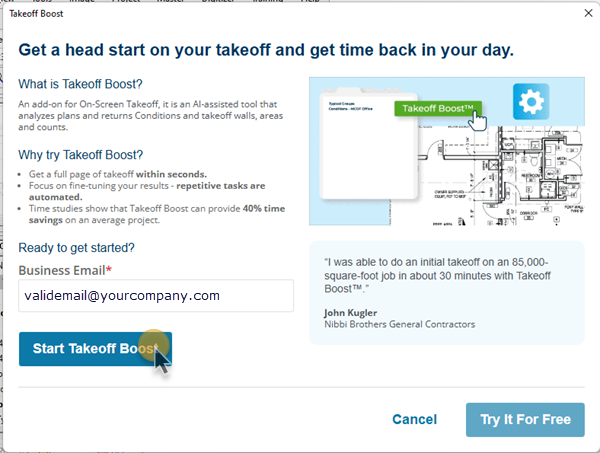
Takeoff Boost activation Step 1 (for Standard Maintenance and Trials)
- Then, click the Try It Now button
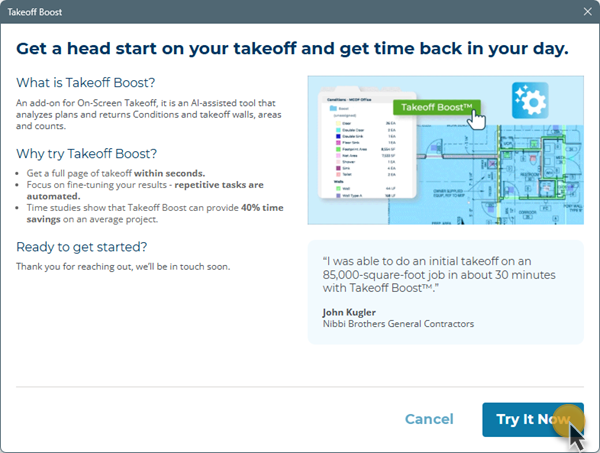
After a moment or two, you'll see the confirmation screen.
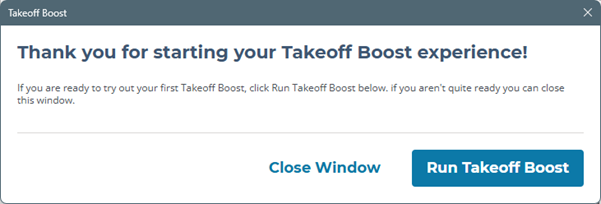
- Click Run Takeoff Boost to continue
For detailed instructions on using Takeoff Boost, see: On-Screen Takeoff - 06.02.01 - Takeoff Boost™ - Overview and Requirements.