

The Projects List is the default page you’ll see after you sign into ConstructConnect Takeoff.
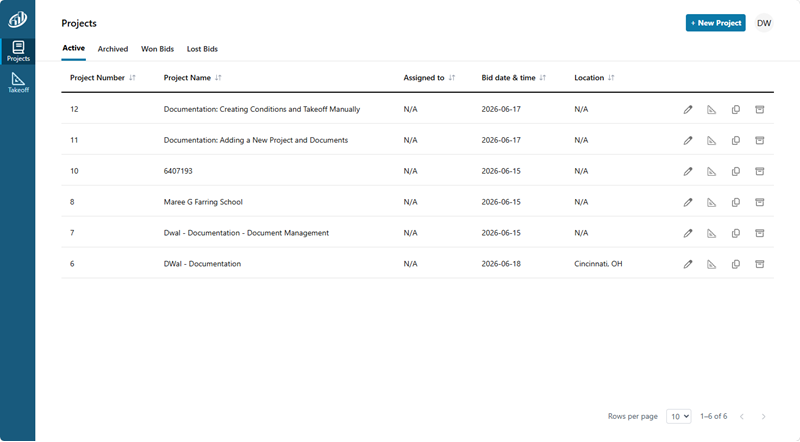
The Project List shows you every Project in your Organization, not just those that you’ve created.
Create a Project
To create a new Project, click  in the upper-right corner of the screen. (Covered in detail in the next article.)
Edit/Access a Project
Use the buttons on the right to:
- Edit
 (edit the Project Settings/Cover Sheet)
 - Takeoff
 ( opens the Takeoff Tab for a Project)
 - Duplicate
 (makes a copy of the selected Project)
 - Delete
 (removes the Project completely from your Org)
Project Status
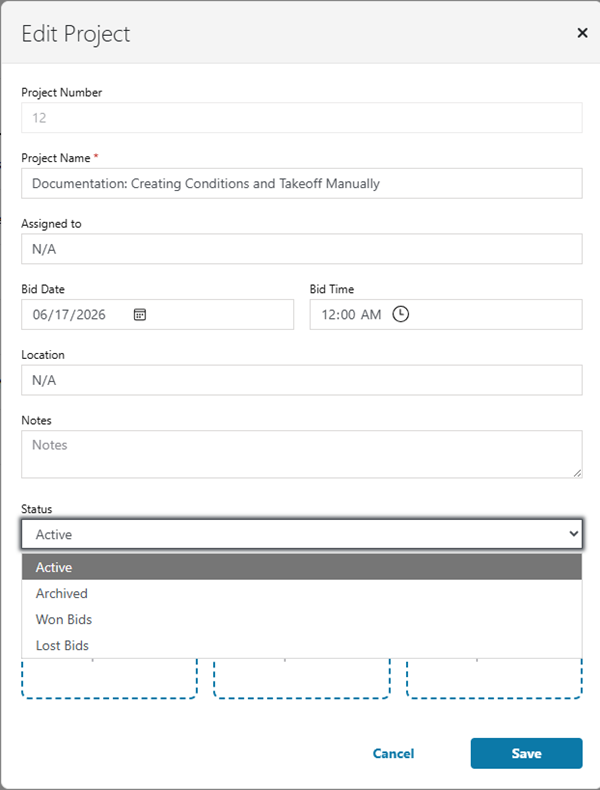
There are four statuses a Project can be in: Active, Archived, Won, or Lost.
You set the status of a Project on the Settings/Cover Sheet:
Now that you are familiar with the Projects List, let’s get busy and create one!
 What are Projects? What are Projects? | Creating a Takeoff Project  |
Related Articles
