

Issue
You are unable to activate On-Screen Takeoff/Digital Production Control or Quick Bid.
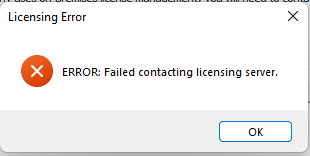
You may receive an error about failing to contact the licensing server:
Discussion
Our Support Team has noticed some customers were experiencing issues activating their software license(s). After investigating, we've determined there is an issue with some users' AmazonRoot certificate.
This affects all versions of On-Screen Takeoff and Quick Bid and all supported versions of Windows.
Resolution
Follow the steps below to download and install an updated certificate.
- Open your web browser and navigate to (or just click this link): https://www.amazontrust.com/repository/
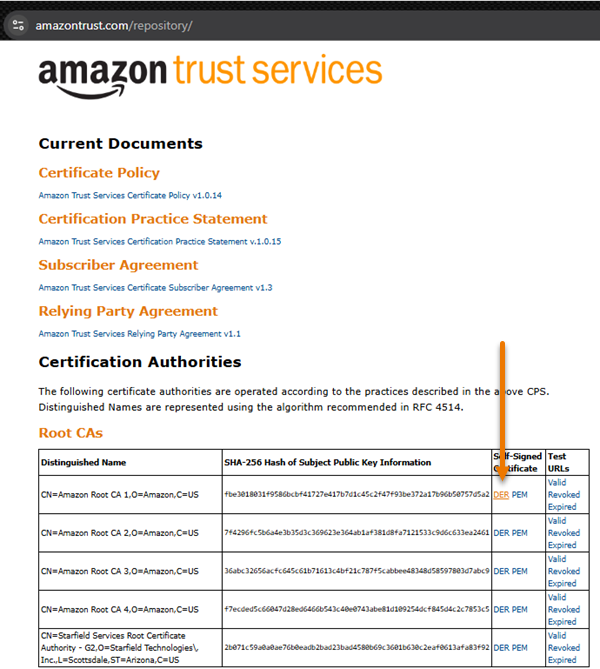
- On that page, in the first row (Amazon Root CA 1...US), click the DER link.
- Save the file someplace convenient (by default, your Downloads folder).
- Once downloaded, locate that file and right-click on it and select Install Certificate.
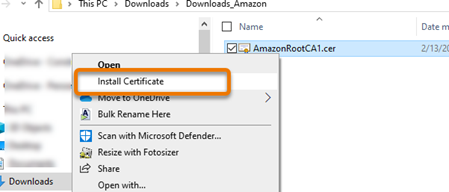
Follow the instructions to install the certificate.
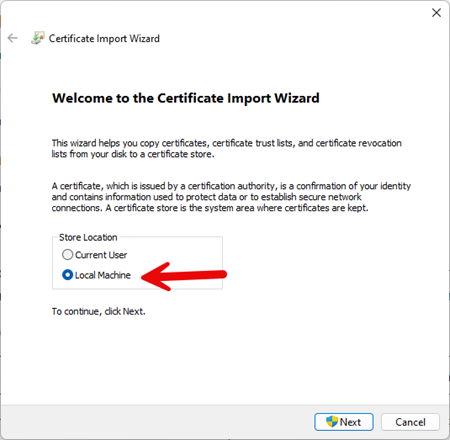
During install, be sure to select "Local Machine", not "Current User" when selecting where to install the certificate.
You will very likely need to have your I.T. department do this for you as installing a security certificate requires System Administrator rights.
Related Articles
