

The Takeoff BOOST™ toolbar includes the Auto Takeoff, Auto Count, Auto Link, and Auto Scale buttons.
Takeoff BOOST is a suite of AI-Assisted automated takeoff and project setup tools:
- Auto Takeoff uploads your plan set to our service, analyzes it, and then returns the Linear, Area, and Count Conditions and takeoff you specify.
- Auto Count allows you to select any symbol or shape on your plan and automatically take it off on up to 20 pages at a time.
- Auto Link creates Named Views and Hot Links to details/sections throughout your plan set, automatically, in minutes.
- Auto Scale automatically detects and sets the scale on all the Pages in your Project, in seconds.
Auto Name is also part of Takeoff BOOST, but it is accessed from a Project’s Cover Sheet.
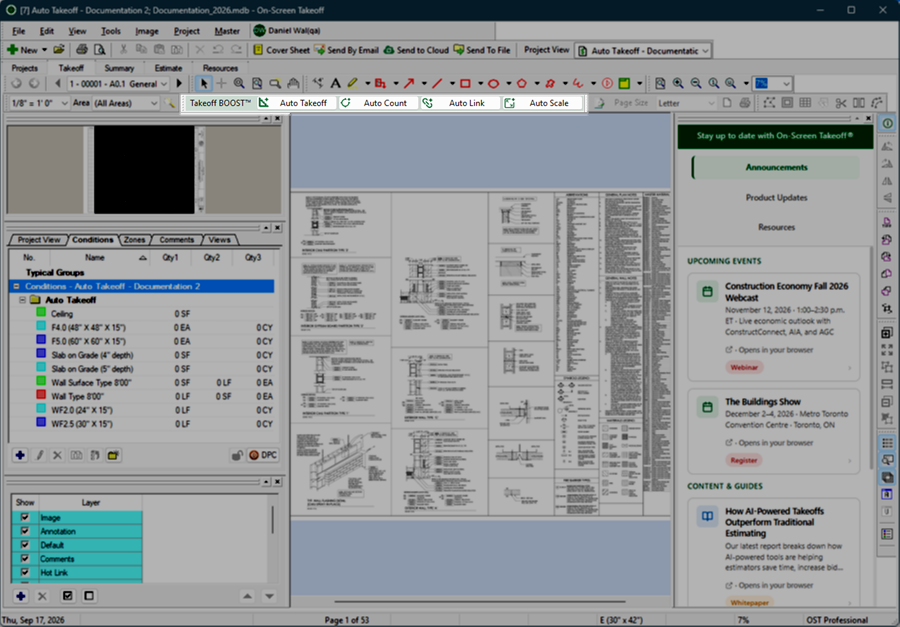
If you don’t see the Takeoff BOOST™ toolbar, click View > Toolbars and put a check in front of “Takeoff BOOST”.
 Mark Takeoff Complete Toolbar Mark Takeoff Complete Toolbar | Takeoff Mode Toolbar  |
