

Issue
Sometimes, area takeoff either includes additional, unnecessary vertices (corners) or may a miss bump out for chase walls in corners.
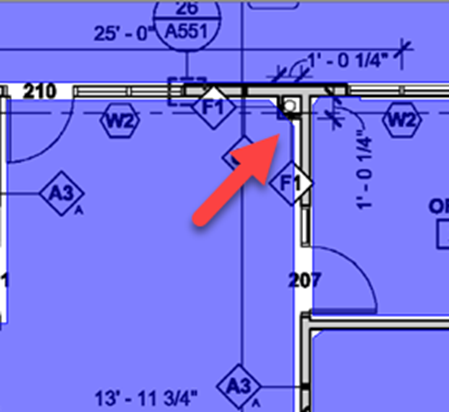
Area missing corner bump out
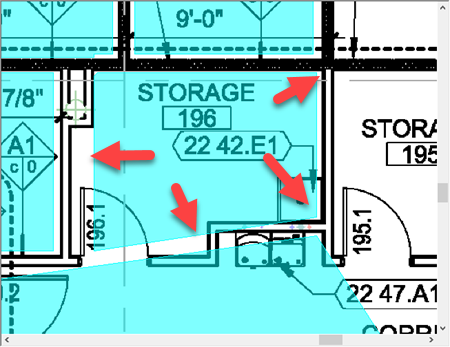
Area missing corners (vertices)
Resolution
Adding Vertices to fix perimeter
The first thing you need to do is clean up the net area object. Use the Select Tool  to select the net area takeoff object, then click the Simplify button
  on the takeoff tools toolbar. See related articles for details on using the Simplify Tool or you can remove vertices manually, see Related Articles.
Next, in the corner where the chase wall wasn't accounting for, you'll need to add a few vertices and the adjust the perimeter lines to account for the bump out. See Related Articles for details on adding vertices to change the shape of an area takeoff object.
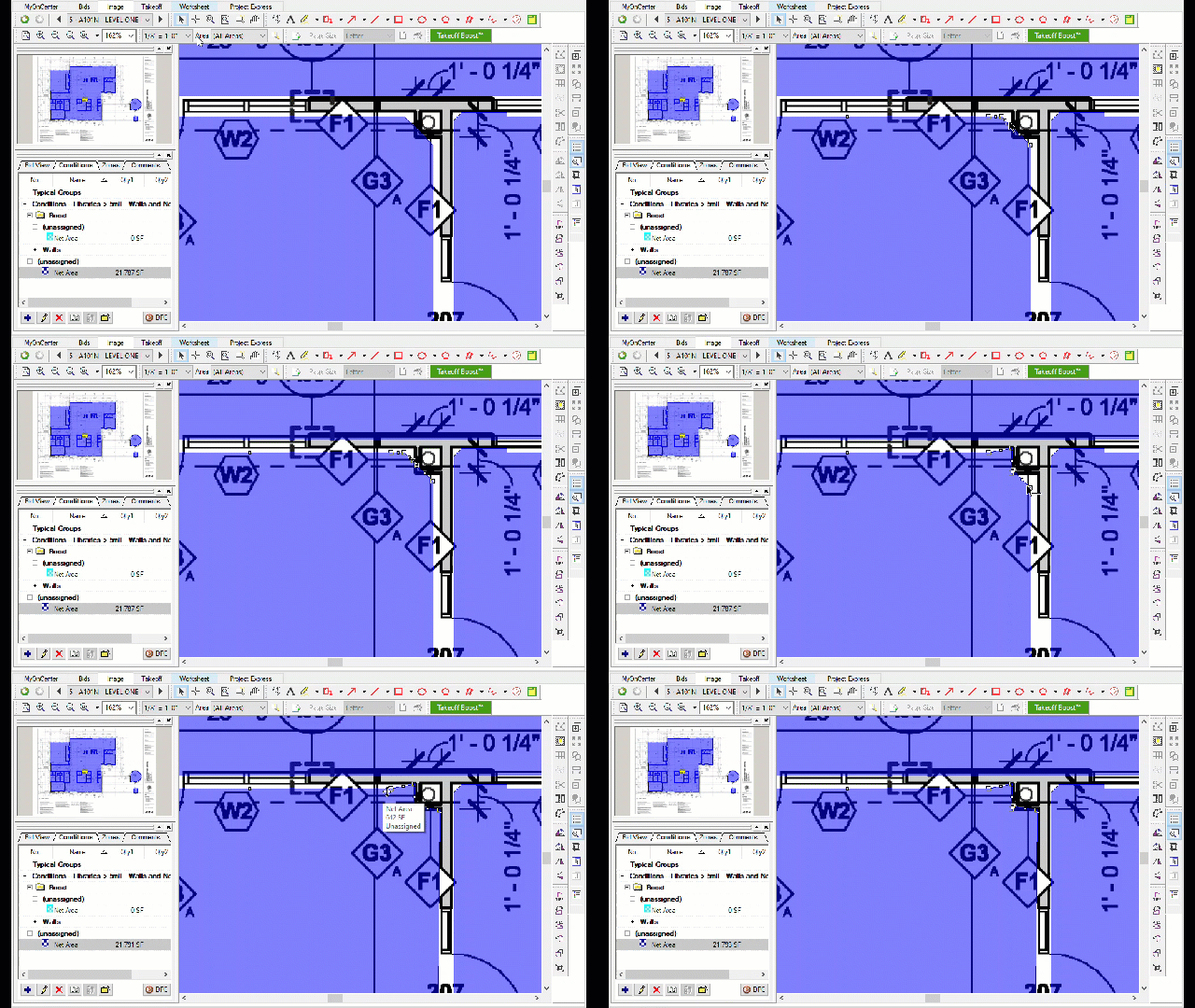
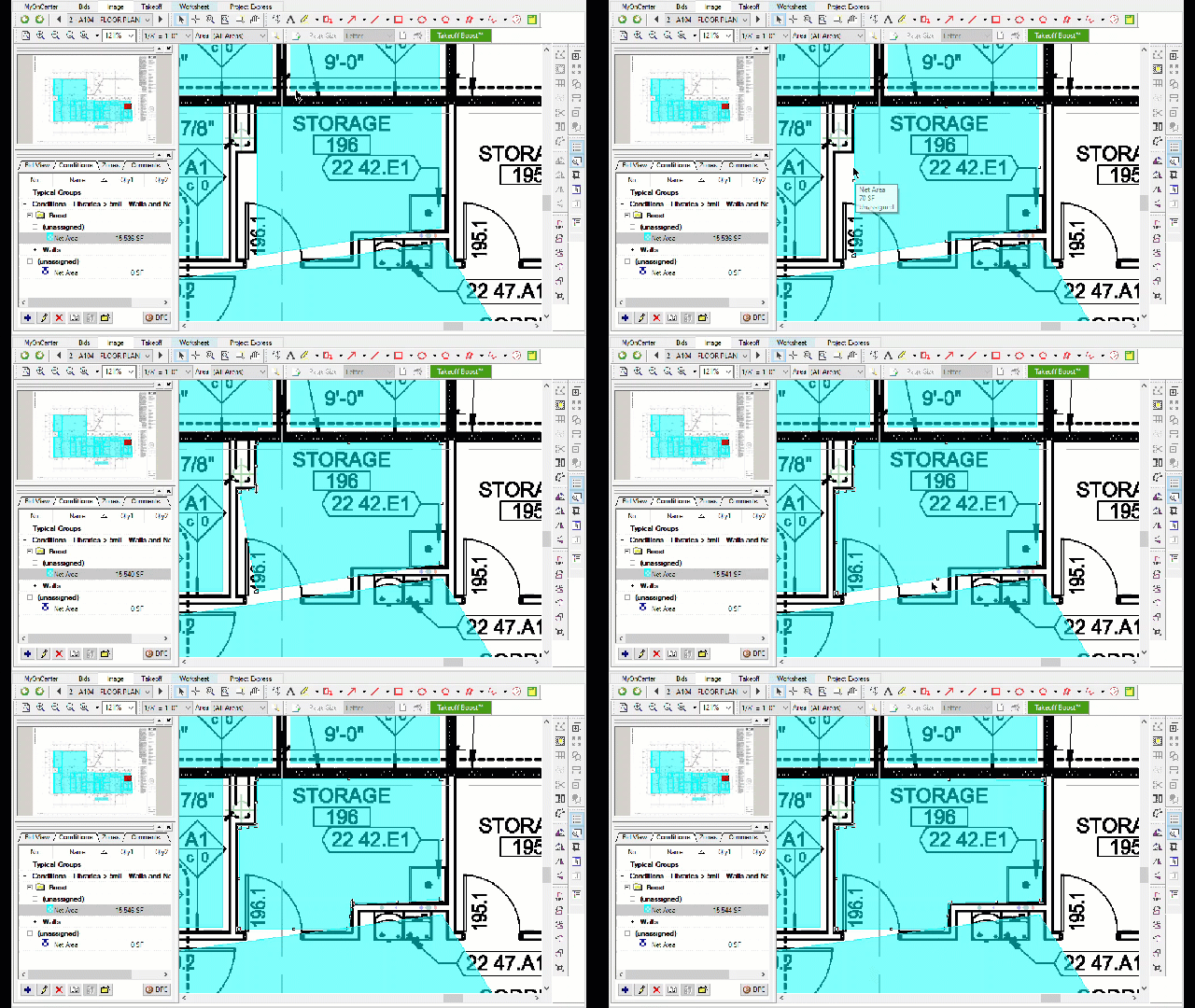
Next example, there is a bit more clean up to do, but you basically follow the same steps - adding a few vertices, then moving the points to match the plans. You may need to move a segment also to align it correctly.
Related Articles
- On-Screen Takeoff - 09.01 Selecting, Editing, and Deleting Takeoff and Annotation
- On-Screen Takeoff - 09.02.00 Adding or Removing Joints (Vertices) in Area Takeoff Objects
- On-Screen Takeoff - Reviewing and Fixing Takeoff Boost Results - Area perimeter not filling room or region correctly/completely
- On-Screen Takeoff - Reviewing and Fixing Takeoff Boost Results - Missing Areas between other Areas
- On-Screen Takeoff - Reviewing and Fixing Takeoff Boost Results - Areas not accurate on rotated rooms
