

Issue
Sometimes, areas entirely surrounded by or between other net area takeoff objects does not get accounted for by Takeoff Boost.
This is especially noticeable if the existing net area takeoff objects aren't filling the adjacent rooms completely (see Related Articles for information on fixing that).
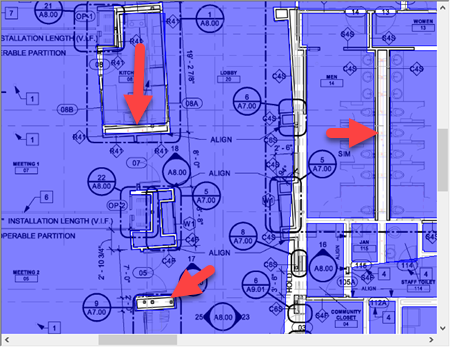
Notice the regions that have not been taken off as net area
Resolution
The resolution is to first, clean up the existing net areas so they match the plans correctly (see Related Articles). Then, select the appropriate net area Condition and draw the missing takeoff manually.
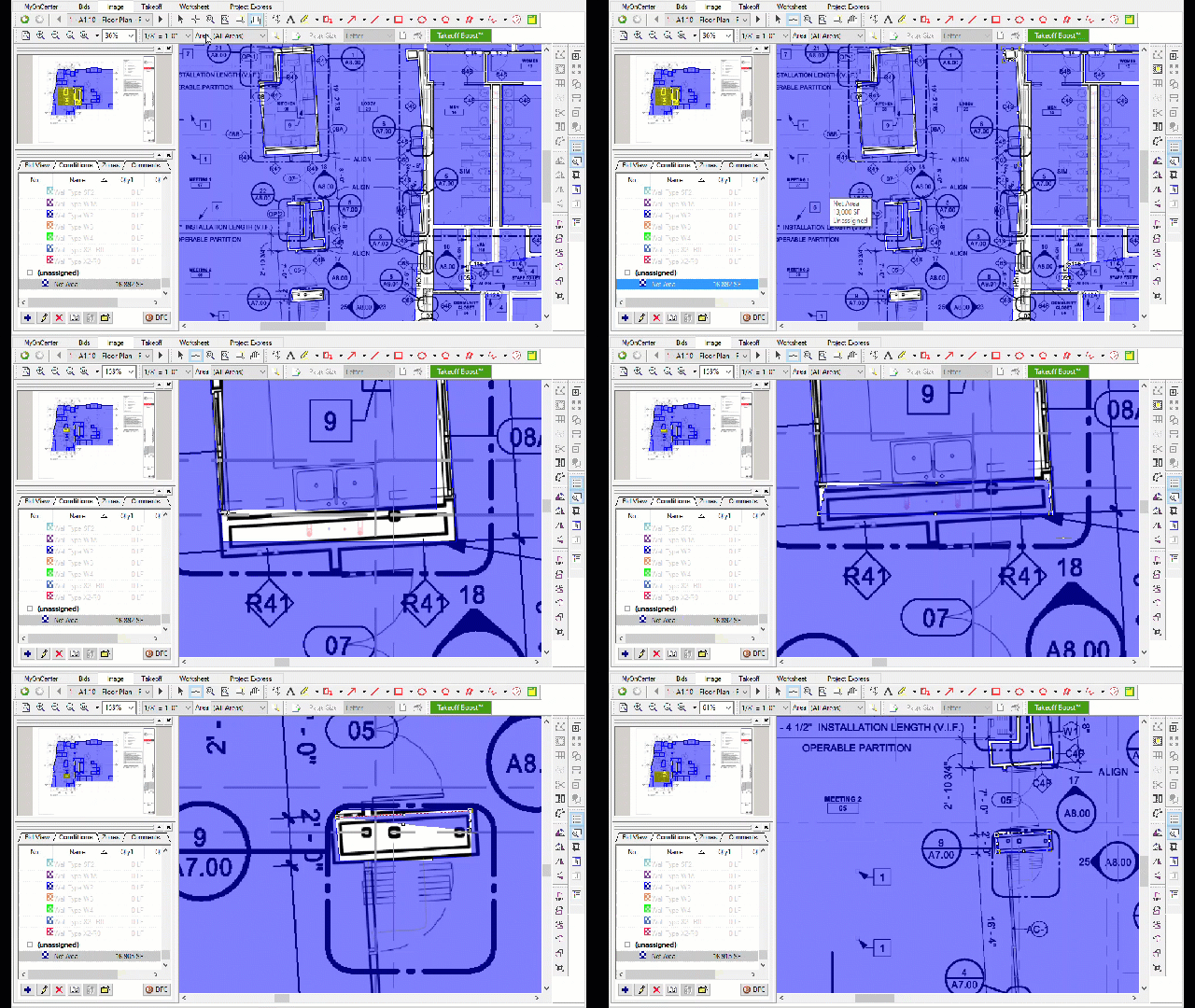
Related Articles
- On-Screen Takeoff - Reviewing and Fixing Takeoff Boost Results - Area perimeter not filling room or region correctly/completely
- On-Screen Takeoff - Reviewing and Fixing Takeoff Boost Results - Areas drawn with missed corners
- On-Screen Takeoff - Reviewing and Fixing Takeoff Boost Results - Areas not accurate on rotated rooms
- On-Screen Takeoff - 09.01 Selecting, Editing, and Deleting Takeoff and Annotation
