

Issue
If your plan includes some walled-off areas within other walled-off areas, they may be taken off twice. Also, if your plans include "backouts" to net areas, they may be duplicated, also (we are working on "backouts" at this time for a future update to Takeoff Boost).
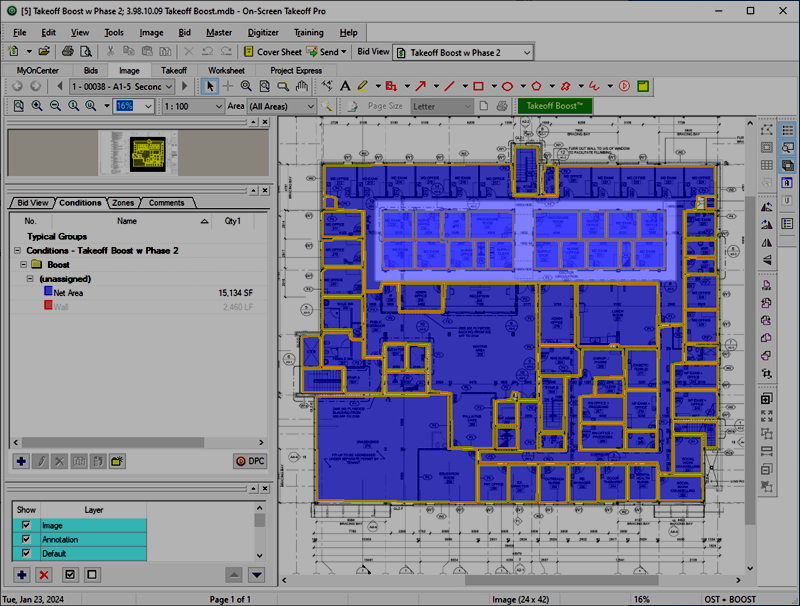
Notice that undimmed region toward the top of the plan? Takeoff Boost took off the entire region, but then also took off the individual offices - you can tell the takeoff is overlapping because of the darker color where the offices are. This is not necessarily a defect or anything "wrong" with Takeoff Boost, it's just where your expertise as an estimator come into play.
Resolution
The easiest way to fix this is to draw backouts to cut-out the net area that was drawn "over" the individual offices.
First, you need to select the large piece of takeoff that "blankets" the individual offices. Then the Backouts tool becomes active.
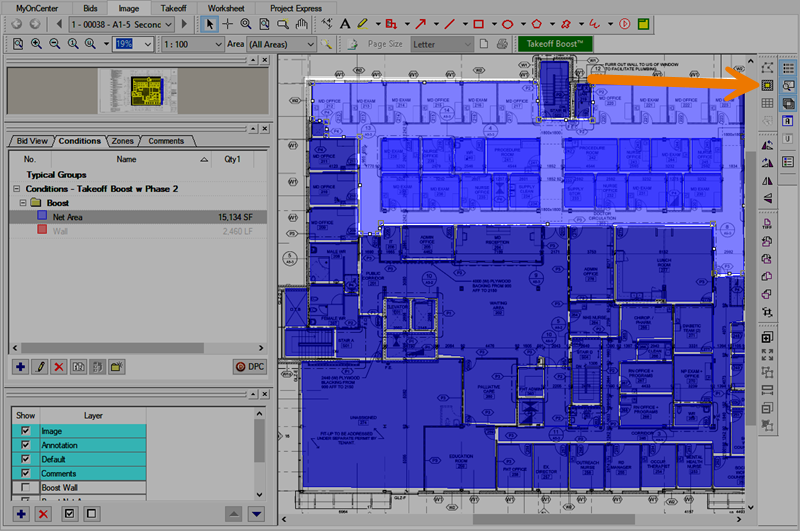
Click the Backout icon  on the Takeoff Mode toolbar or click Tools > Backout Mode (these only become active when a single piece of Area takeoff is selected).
Draw a rectangle over the duplicated areas - there are two "blocks" of takeoff we need to remove, so we have to draw two backouts.
Be sure you draw the backout to the outside edge of the walls defining the offices so you remove that takeoff completely and don't include the walls as Net Area takeoff.<
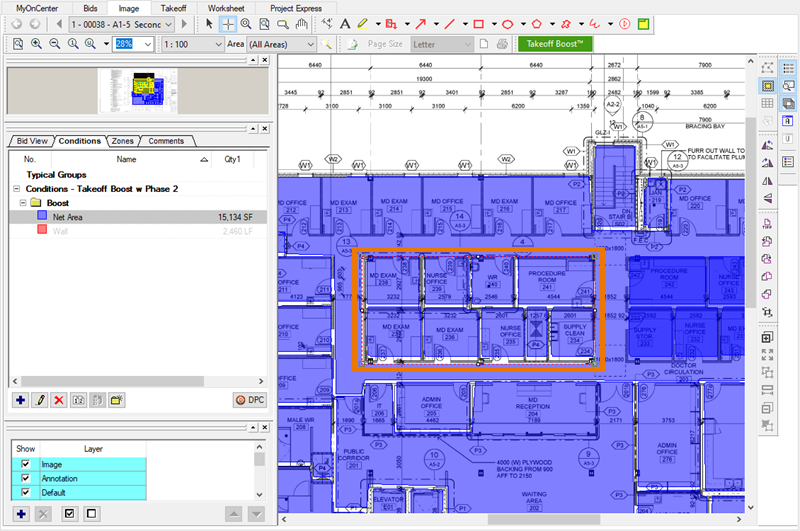
Notice the change in the takeoff color (it is no longer overlapping) and the reduction to the Net Area result.
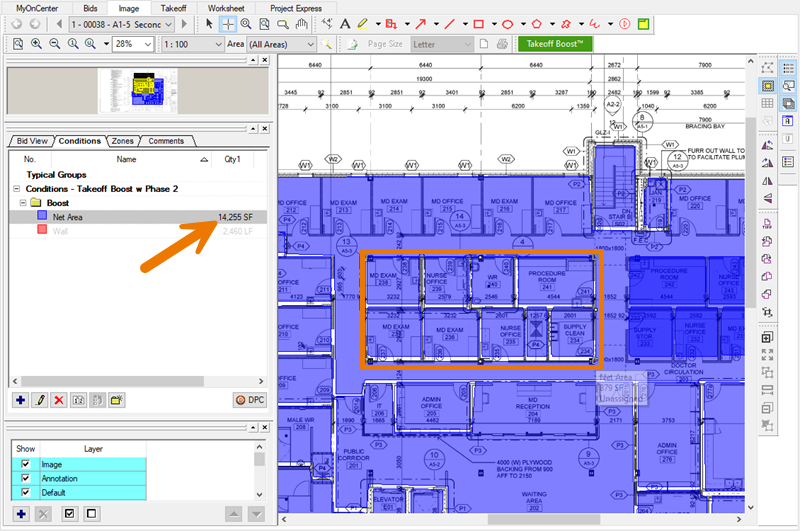
Repeat this for the second "block" of takeoff that needs to be removed, and then you can see the final, correctly result for Net Area.
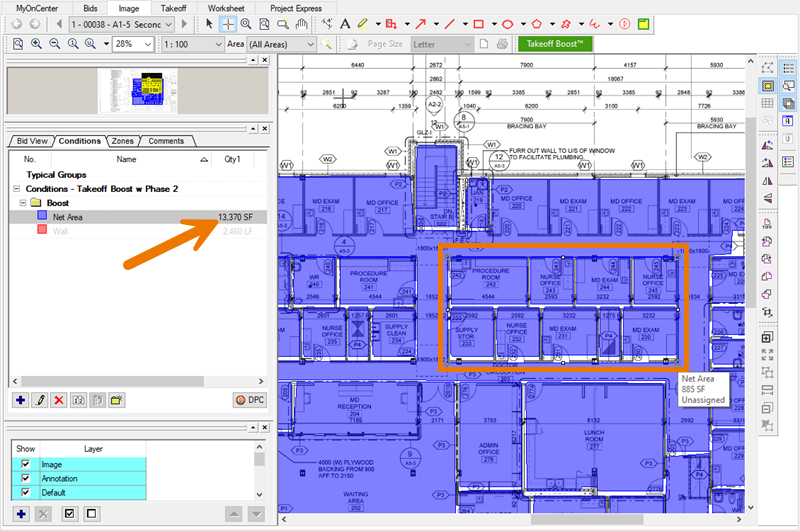
Now, you can align those individual takeoff objects, if you want, but its not necessary, as long as you draw the backouts to the outside edge of the office "blocks".
Related Articles
- On-Screen Takeoff - Reviewing and Fixing Takeoff Boost Results - Missing Areas between other Areas
- On-Screen Takeoff - Reviewing and Fixing Takeoff Boost Results - Area perimeter not filling room or region correctly/completely
- On-Screen Takeoff - Reviewing and Fixing Takeoff Boost Results - Areas drawn with missed corners
- On-Screen Takeoff - Reviewing and Fixing Takeoff Boost Results - Areas not accurate on rotated rooms
