

On the Takeoff Tab, each Pane contains a list of information laid out in a grid.
Each grid can be sorted by any column. In our example below we are sorting the Conditions Pane by different columns.
The sorting control explained below works the same on other screens in ConstructConnect Takeoff - almost anywhere information is shown in a grid you can Sort, Filter, and Group that information.
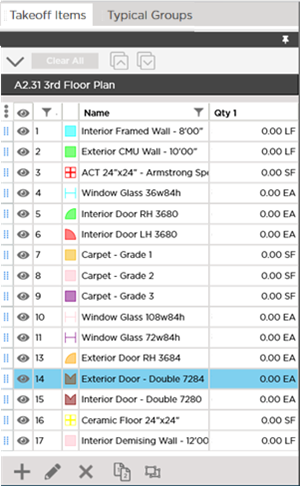
Conditions Pane sorted by Number ascending order
Notice when we sort by Number the indicator is obscured because we have not adjusted the column wide enough to show the indicator. The grid is sorted by number however as you can see.
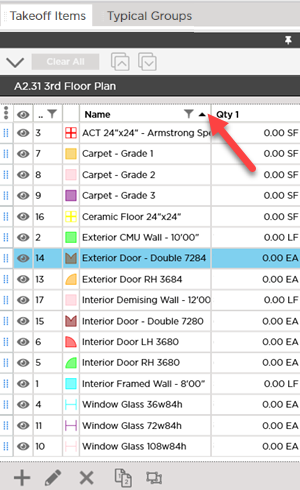
Conditions Pane sorted by Name A to Z
Notice the sort indicator in the Name column header shows the direction (ascending) for the sort.
 Docking and Undocking Panes on the Takeoff Tab Docking and Undocking Panes on the Takeoff Tab | Filtering within a Pane on the Takeoff Tab  |
Related Articles
