

To draw an ellipse (an oval or circle):
- Click the
 button on the Linear Takeoff Tools toolbar
 - Click on a point in a corner of the oval or circle you need to draw (that lines up vertically and horizontally with the edges of the object)
- While holding down the mouse button drag diagonally away from the first point to draw your ellipse
- Release the mouse button when the ellipse is correct - do not worry if it is not exact you can go back and adjust it as needed
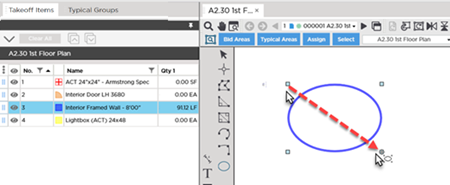
Once drawn, you will find four control boxes at each corner of the box that encompasses the ellipse which allow you to resize/reshape the oval.
- Drop/Run setting is ignored in elliptical linear objects as there is no begging nor end to the object
- Slope setting is ignored in elliptical linear objects
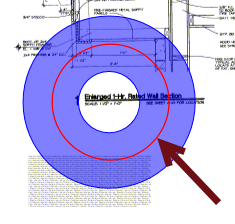
- Length Results are calculated based on the width of the Takeoff Item - the length is calculate along the middle of the linear... (the higher the Width setting in Takeoff Item Properties the longer the calculated length)
Before drawing any takeoff you must set and verify Scale see Related Articles.
 Drawing Curved Linears - 3-Point Arc Segment Tool Drawing Curved Linears - 3-Point Arc Segment Tool | Changing a Straight Linear Segment to Rounded Curve or 3-Point Curve  |
Related Articles
