

Use the Normal Mode Linear Takeoff tool ( ) to draw a single segment or several segments that do not share endpoints.
To draw a single Linear segment:
- Select the tool from the Takeoff Toolbar
- Click on the starting point of the linear to be measured
- While holding down the mouse button drag to the end point
- Release the mouse button
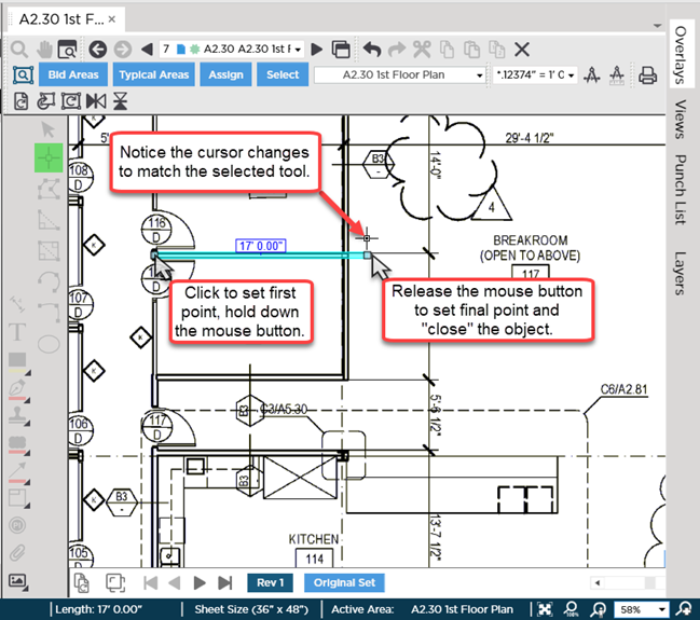
Once you "close" (meaning complete or end) this takeoff object you can select a segment move it reassign it (to a different Linear Takeoff Item) or even delete it without affecting any of the other segments. Selecting and editing takeoff is discussed in Related Articles.
If you are drawing numerous connected segments you may find it easier and more efficient to use the Continuous Mode Linear Takeoff tool ( ) covered in the next article.
Before drawing any takeoff you must set and verify Scale see Related articles.
 Linear Takeoff Tools and Toolbar Linear Takeoff Tools and Toolbar | Drawing Connected Segments of Linear Takeoff Using Continuous Mode  |
Related Articles
