

We covered most of this information in the Getting Started article Create Your First Project in ConstructConnect Takeoff (Web) and Add Documents.
To do anything in ConstructConnect Takeoff, you need to have a Project.
Step 1 - Fill Out Project Details
Before you can really do anything in ConstructConnect Takeoff, you must create a Project and add Documents (Drawings/Plans, Specs, other Docs).
After logging in, on the Project Tab,
- Click

The Add a Project dialog box opens:
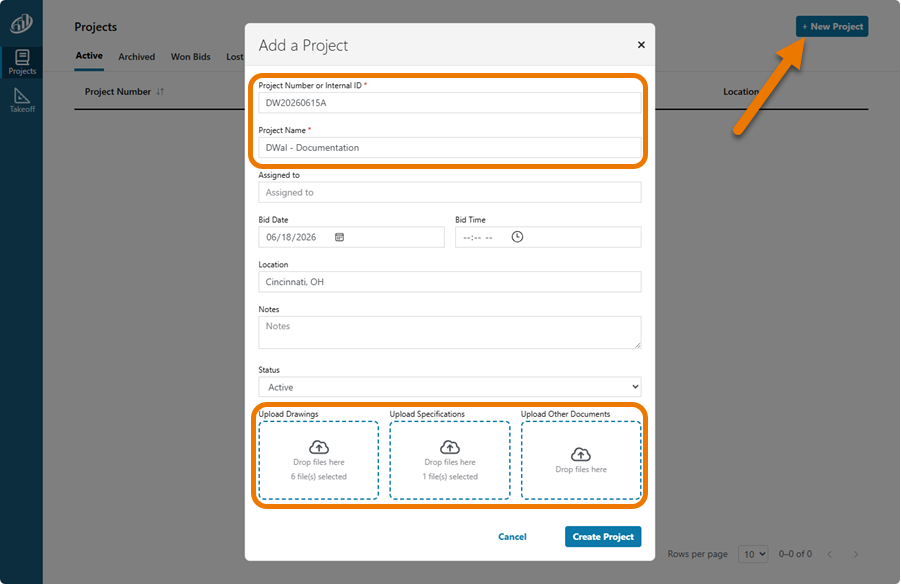
You must give your new Project a Project Number/Internal ID and a Project Name, other fields are optional.
Next, we will add Documents to this Project.
 Working with the Projects List Working with the Projects List | Adding Documents to a Takeoff Project  |
Related Articles
