
What is Ask Documents?
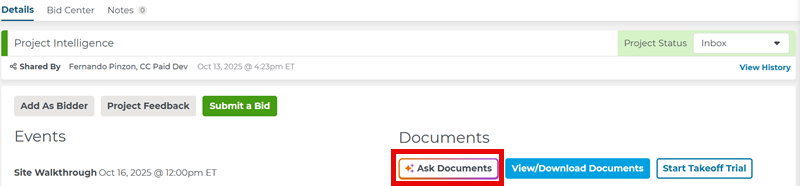
Ask Documents is an AI-powered assistant in Project Intelligence that helps you quickly get answers to your project questions by searching the project’s documents for you.
Instead of digging through files, just type your question and Ask Documents will scan all project documents and return the most relevant information, giving you faster, more accurate, project-specific answers.
You can access Ask Documents from the Project Details Page:
Asking Questions
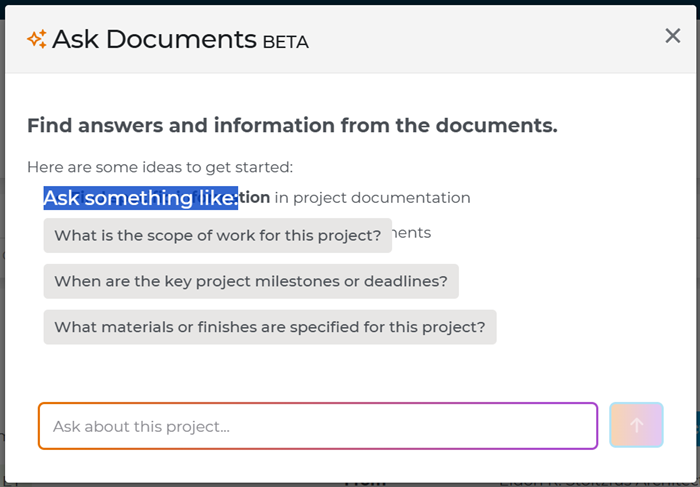
When you press Ask Documents, a dialog box opens where you can type your question into the text box.
Ask Documents can help answer questions like:
- “What is the scope of work for this project?”
- “What are the key milestones or project deadlines?”
- “What materials or finishes are specified on this project?”
Getting Answers
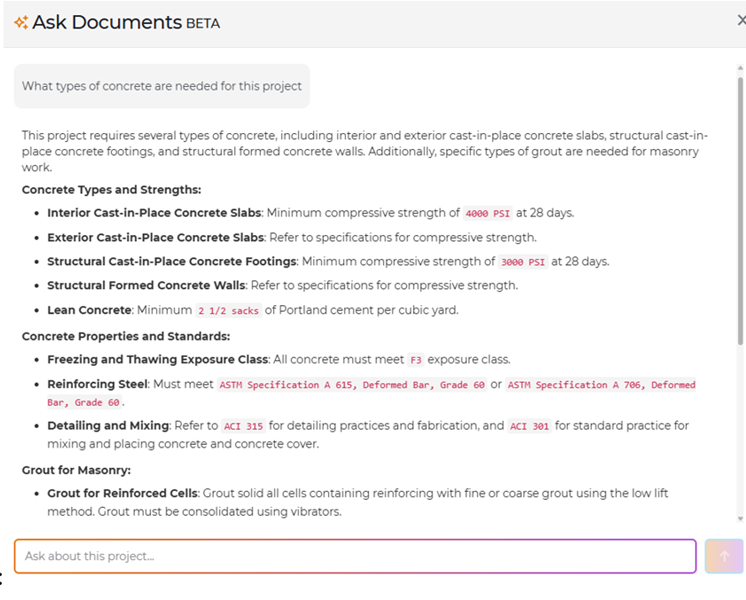
When you enter a question, the chat window shows your answer. In the example below, the user asked, “What types of concrete are needed for this project?”
Based on the specs on the project Ask Documents will provide the best possible answer:
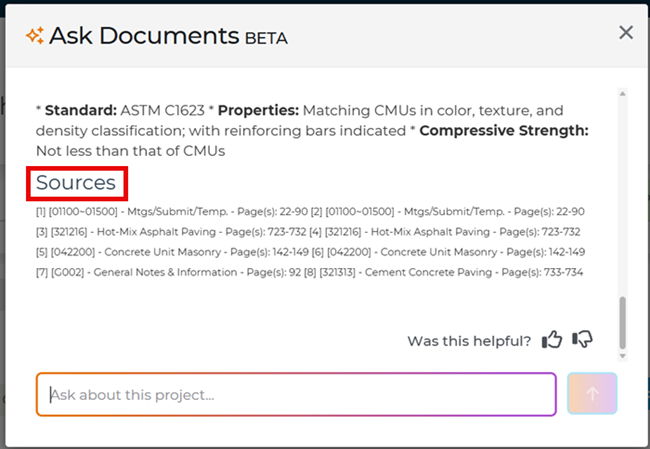
At the bottom of the window, the Sources section (when available) shows the exact place in the documents where the information came from:
If the answer you get doesn’t fully address your question, try adjusting your wording and asking again.
You can start with a broad question and then ask more specific follow-up questions to narrow down the results.
For example, if you ask about the overall scope of work, you can follow up with a more specific question, like “Can you list the scope of work for the electrical portion?”
Taking it step-by-step helps you narrow down the exact information you need for your role or task.
Above the keyword search bar, you’ll see thumbs up and thumbs down icons where you can let us know if the answer was helpful:

By sharing your feedback, you help improve the answers Ask Documents can deliver.
If you have more questions about Ask Documents, be sure to read our Ask Documents FAQ
If you’d like more information about the Project Details Page, check out this article.
 Document Search in ConstructConnect Project Intelligence - Training Video Working with your Watch List in Project Intelligence
Related Articles
Document Viewer Navigation Toolbar
Keyword Highlighting in Document Viewer
Document Search in ConstructConnect Project Intelligence - Training Video
