

When you draw a "closed" set of linear takeoff segments you can auto-fill that shape with one or more Area Takeoff Item's. A "closed" set of linear takeoffs means three or more segments that each touch end-to-end.
Check out Multi-Condition Takeoff (patented) in Related Articles for more ways to leverage ConstructConnect Takeoff to make taking off your project faster than ever.
Let's take a look at a few examples.
We drew three "closed" takeoff objects with linears - these could define the outer walls of a room or building for example. The important part is that each segment touches the adjacent one (it's easiest to draw connected segments using the Continuous Mode Linear Takeoff Tool).
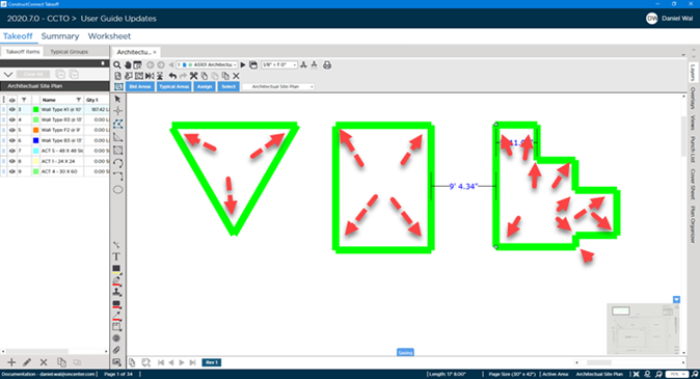
Auto-Fill with One Area Takeoff Item
To fill in a closed linear object:
- Select the Takeoff Item you want to use to fill-in the closed linear object (you do not need to select a Takeoff Tool)
- Double-click within the closed linear object
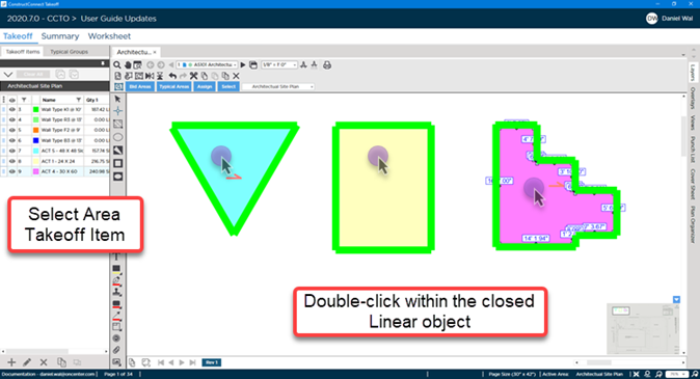
In our example we filled each closed linear object with a different Area.
If you think that was amazing...
Auto-Fill with Multiple Area Takeoff Items
You can also fill a closed linear object with more than one Area Takeoff Item.
- Select multiple Area Takeoff Items in the Takeoff Items Pane (use Ctrl and Shift to select multiple).
- Double-click within the closed linear object.
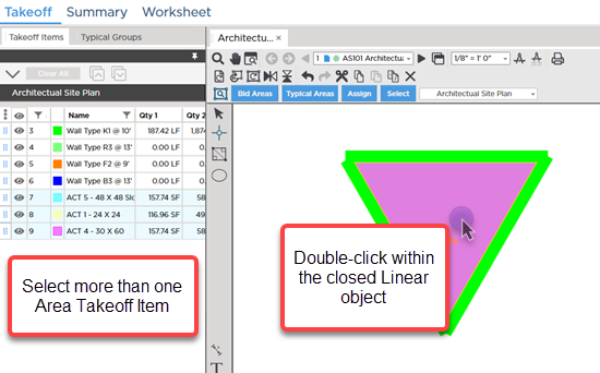
It's a little hard to see but the takeoff for those three Area Takeoff Items are stacked. We can move them around independently though.
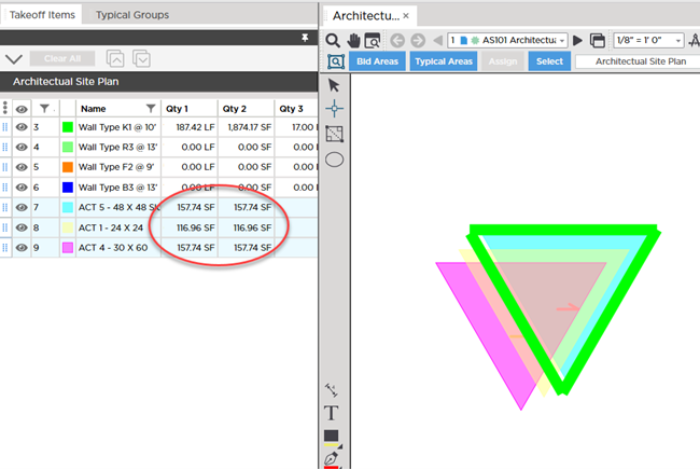
Why the discrepancy in Takeoff Results?
If you have a keen eye you may notice in our screenshot above that the Results aren't the same. Is the program calculating something incorrect?
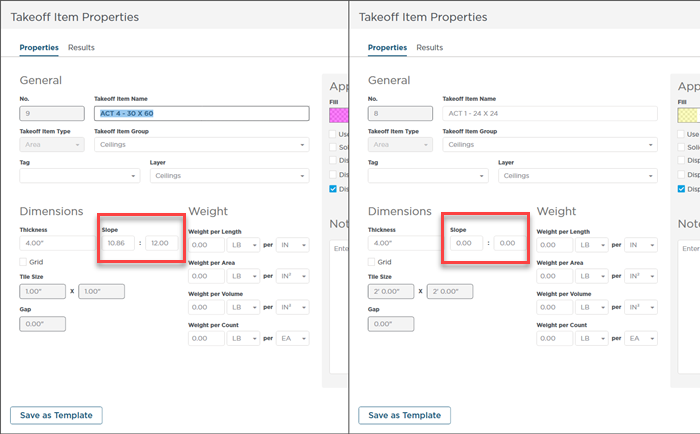
Not at all! If we look at the Takeoff Item Properties we see that the Slope settings are not the same. The two with higher results are set to Slope (you can tell they are sloped by the little half-arrow in the Area takeoff object's themselves).
Before drawing any takeoff you must set and verify Scale see Related Articles.
This is a great time to show you how to draw Area takeoff, which is our next article...
 Drawing Manual Length Linear Segments (not to Scale) Drawing Manual Length Linear Segments (not to Scale) | Drawing Area Takeoff  |
Related Articles
