

Using Search Assist in ConstructConnect Analytics
- What is Search Assist?
- How do I open Search Assist?
- How do I build a search with Search Assist?
- How do I refine an existing search?
- Can Search Assist answer questions about Project Intelligence?
- Does Search Assist support other languages?
- What can Search Assist not do?
Search Assist is currently in beta. It will soon be available to all users with a Project Intelligence Professional or Premium subscription.
Search Assist is a conversational AI tool that helps you create more focused searches in ConstructConnect Project Intelligence. Describe what you’re looking for, explain what’s missing from your current results, or ask a question about Project Intelligence.
Search Assist is available to Project Intelligence Pro and Project Intelligence Premium customers.
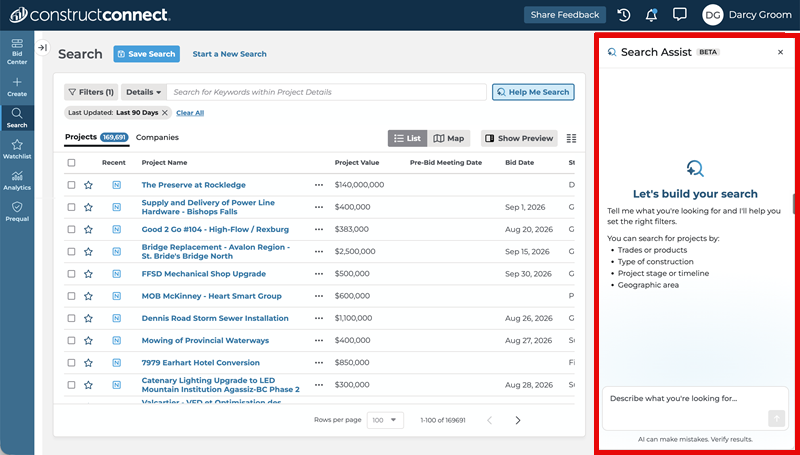
From new search:
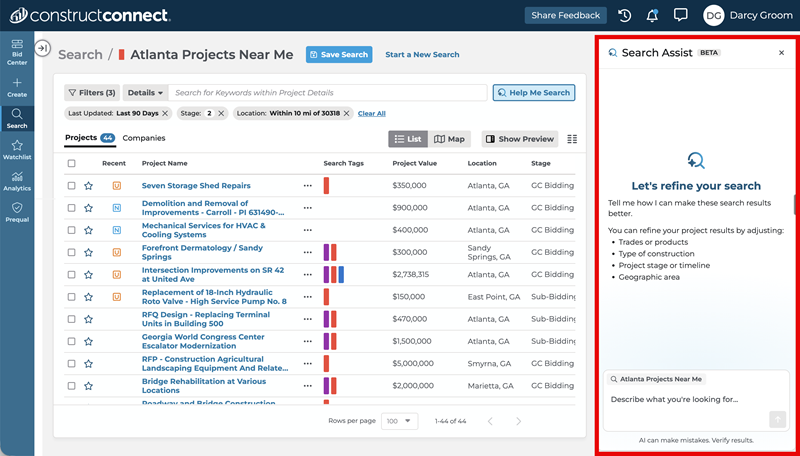
From saved search:
What is Search Assist?
Search Assist uses the search tools already available in Project Intelligence to apply relevant keywords and filters. It can help you create a new search or adjust an existing one as your needs change.
You can use Search Assist to:
- Build searches from plain-language requests without knowing exact filter names or values.
- Describe what may be missing from your results and answer clarifying questions to improve your search.
- Ask about Project Intelligence terminology and get links to relevant Help Center articles.
- Submit requests and receive responses in the language of your choice.
- Save new or refined searches for future reference so you can return to them later.
How do I open Search Assist?
You can open Search Assist from a new search or from an existing saved search. No additional setup is required.
- Open a new search or an existing saved search in Project Intelligence.
- At the right end of the search bar row, next to the keyword input, select Help Me Search—the button with the magnifying-glass-and-sparkle icon.
- Enter a request or ask a question.

How do I build a search with Search Assist?
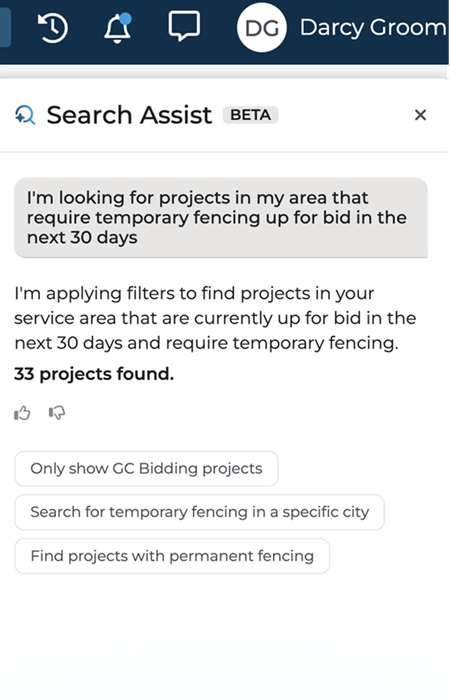
Tell Search Assist what you're looking for in plain language. You don't need to know the exact Project Intelligence terminology, filter names, or filter values before you begin.
For example, you can describe:
- The type of projects you want to find (i.e. new construction, renovation).
- The location or market you want to search.
- The timing, scope, and other details that matter to your business.
Search Assist interprets your request and applies relevant filters and keywords to the search. Review the resulting search criteria and continue the conversation if you need to clarify or adjust the search.
How do I refine an existing search?
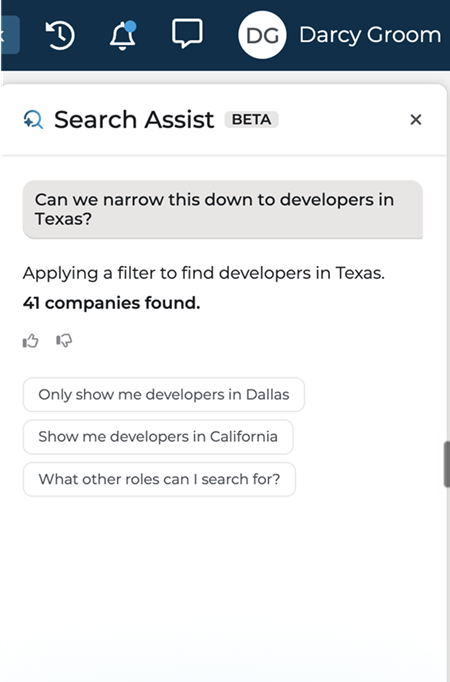
Use Search Assist inside an existing search to improve it without starting over. Describe what isn't working—for example, results that are too broad, projects outside your target market, or missing criteria. Search Assist can use that description to suggest refinements and apply relevant filters or keywords.
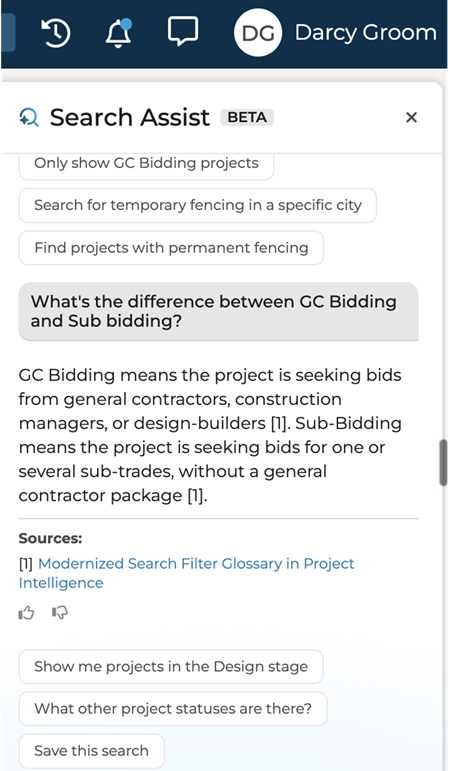
Can Search Assist answer questions about Project Intelligence?
Search Assist can answer basic questions about Project Intelligence terminology using information from the ConstructConnect Help Center. When it finds an answer, it provides a direct link to the related Help Center article.
Does Assist support other languages?
Yes. You can enter your prompt in your language of choice. Search Assist can apply the appropriate filters and respond in that language.
What can Search Assist not do?
Search Assist helps you build and refine a search, but it doesn't analyze or take action on the results. For example, it can't:
- Answer questions about the projects in your search results or summarize those results.
- Tell you which results to prioritize or review first.
- Recommend which individual projects are the best matches.
- Answer questions about information in the documents associated with your search results. To search within documents, see our article on Ask Documents in Project Intelligence.
- Modify the keyword and filter options in Project Intelligence. Search Assist works with the existing tools to build and refine your search.
 Working with Proximity Search in Project IntelligenceConstructConnect Analytics Overview in Project Intelligence
Related Articles
Adding Filters to Your Search in Project Intelligence
Using Project and Company Filters Together in Project Intelligence
